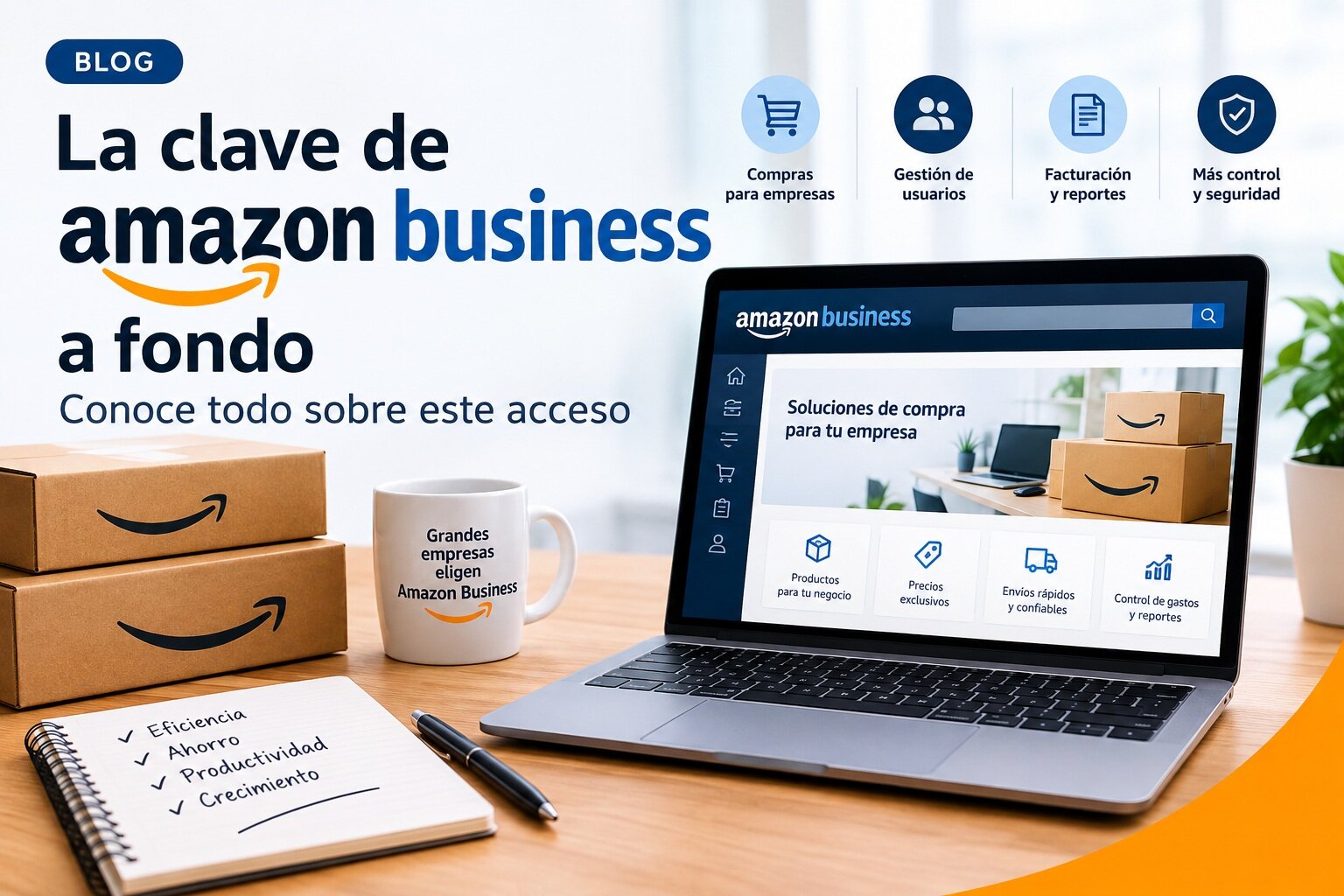
Post actualizado el día October 8, 2026 by DeiviSanzPlay
The Amazon Business key in depth: what nobody tells you about this access before they force you to use it
There’s a detail that almost nobody is talking about and that completely changes the game. As of September 1, 2026, Amazon has decided that business purchases with a VAT number can no longer be made from your lifelong personal account. Either you switch to Amazon Business or you’re left without proper deductible invoices. It’s not a suggestion. It’s a forced migration disguised as an improvement.
And here comes the nuance that many are overlooking. Amazon Business is not simply “Amazon but for businesses.” It’s a separate ecosystem, with its own invoicing rules, its own payment policies and, above all, a radical separation between what you buy as a person and what your business buys. If you mix the two, the account administrators can see your entire history. Absolutely everything.
What Amazon Business really is and why your accountant is going to force you to open an account
The figure that explains it all: more than 11 million organizations worldwide already buy through Amazon Business, and it bills more than 60 billion dollars annually. Among its customers are 97 of the Fortune 100 companies. It’s not an experiment. It’s corporate infrastructure.
The fundamental difference from regular Amazon is that Amazon Business gives you access to exclusive business prices, volume discounts and the ability to set up shared payment methods so your employees can buy without you having to approve every order. You can also create groups by department, assign budgets and see exactly who is spending what.
Registration is free. No commitment. No minimum billing. But the real cost isn’t monetary: it’s the time you’re going to invest properly setting up the account so it doesn’t turn into a chaos of duplicate invoices and unjustified orders.
How direct access works and why most people set it up wrong from the start
When someone invites you to your organization’s Amazon Business account, the process depends on a critical detail: what you’ve done before with your corporate email on Amazon. If you’ve never used it, you’re “new” and the registration is clean. If you used it for business purchases, you have to migrate your account to preserve your order history.
But if you used that email for personal purchases, Amazon’s advice is to separate the accounts. And here’s the problem that very few anticipate: if you migrate an account that has personal purchases mixed in, your organization’s administrators will be able to see everything you bought, including those things that have nothing to do with work. Privacy is not negotiable at this point. Separate. Always.
Business verification can be instant or take up to 24 hours. While you wait, you have limited browsing access: you can see prices and search for products, but you can’t buy. That grace period is useful for exploring the business catalog, which includes categories that are hidden or simply don’t appear on regular Amazon, such as industrial supplies, laboratory materials or professional equipment.
Prime Business is not the same as Prime: the trap of the plans that almost nobody understands
Here comes one of the most expensive confusions I see. Regular Prime and Prime Business are completely different programs, with different prices and different conditions. If you already have personal Prime, you can link to the Prime Business Duo plan for free, but only if you use a different email address for the business account.
The Duo plan is designed for freelancers or sole owners. It gives you fast, free shipping, predictable delivery dates and the ability to choose an “Amazon Day” to consolidate orders and reduce the number of boxes arriving at your business. Sounds good. But the real leap in quality comes with the Essentials plan, which for about 49 euros a year (VAT excluded) lets you add up to five users and unlocks tools like Guided Buying and Spend Visibility.
Guided Buying is one of those features you don’t know you need until you use it. It lets you limit purchases to previously approved products or suppliers. If you have employees who buy supplies, this prevents someone from ordering a 600-euro gaming chair charged to the office supplies budget. It’s not surveillance. It’s company policy applied automatically.
VAT and invoices: where Amazon Business gets truly serious
Registering your VAT number on Amazon Business is not optional if you want deductible invoices. It’s mandatory. And the process has a trap: if you operate as a reseller of phones, consoles, laptops or tablets in Spain, Amazon is going to ask you for specific tax certificates issued by the Tax Agency. While those certificates are under verification, you can’t complete orders. Literally. The checkout gets blocked.
For intra-community transactions with zero VAT, your European VAT number has to be validated in the European Commission’s VIES system. If it’s not there, Amazon won’t exempt you from VAT even if you have the number. And watch out for this: a local VAT number that isn’t in VIES may work for some things, but not for exempting you from purchases of products shipped from another EU country.
VAT verification takes between 3 and 4 business days. During that time, if you try to buy, you’ll pay VAT without exemption. The advice nobody gives but that I would defend without hesitation: wait for Amazon to confirm the validation before placing your first important order. It’s not worth risking a badly issued invoice that you’ll then have to rectify.
Shared payment methods and why they are the most political tool on the entire platform
Amazon Business lets you set up individual or shared payment methods. Shared ones are the ones an entire team uses. Administrators set up a card or bank account and all buyers in the group can use it. Sounds convenient. And it is. But it’s also the fastest way to lose control of spending if it isn’t combined with purchasing policies and well-defined groups.
The ideal setup, the one I would defend for any company with more than three people who buy regularly: groups by department with shared payment methods and shared shipping addresses, but with Guided Buying enabled and budgets assigned. That way, each team knows what it can buy, which card it’s paid with, and where it arrives. The administrator sees everything from a single dashboard.
And one more thing: deferred payment by transfer at 30 days does exist, but it requires prior approval. It isn’t automatic. If your company has cash flow problems, it’s worth requesting from the start. But don’t count on it for your first order.
What Amazon doesn’t tell you about the September 2026 migration
The key date is September 1, 2026. From then on, personal Amazon accounts will no longer support B2B purchases with VAT. If you have a VAT number registered on your personal account, Amazon is notifying you now to transfer it to Amazon Business. If you don’t, your purchases will be treated as individual purchases. No deductible invoice. No itemized VAT. Nothing.
This comes from two European regulations: the new electronic invoicing laws in France, Germany, and Spain, and the ViDA regulation coming in 2028, which requires that B2B purchases with a tax identifier be made in a store specifically for businesses. Amazon Business is that store. There is no alternative within Amazon.
The migration process itself isn’t complicated, but it requires attention. If you convert your personal account, you lose the separation between personal and business purchases. If you create a new account, you start from scratch but gain control. The decision depends on how much order history you need to keep and how much you care about your boss seeing the purchases you made in 2019.
The detail that separates those who use Amazon Business well from those who just pay the subscription
The real difference isn’t in the discounts or the free shipping. It’s in the data. Amazon Business gives you access to spending analytics, purchasing reports, and dashboards that tell you exactly how much each department is spending and on what. With Prime Business, that visibility expands with pre-built dashboards and the ability to create your own.
But those reports are only useful if you set up order numbers, cost centers, and internal references when making each purchase. If you don’t, your invoices will be a bunch of lines without context that your accountant will have to decipher one by one. The key isn’t the tool. It’s the discipline of tagging each order from day one.
What “migrating” versus “separating” accounts really means when your boss sends you the invitation
There’s a decision you’ll have to make in the first two minutes of registration that almost no one explains well. When you receive the invitation from business@amazon.com, Amazon will ask you how you’ve used your corporate email in the past. And here the correct answer isn’t the one that seems obvious.
If you used the company email exclusively for business purchases on Amazon, migrate. That way you keep the order history within Amazon Business and don’t lose previous invoices. But if you ever bought something personal with that email, don’t migrate. Separating is the only sensible option. And it’s not a light recommendation: the administrators of your organization’s account will be able to see all orders and payment methods linked to that email. Absolutely all of them.
The separation process works like this: you choose the “mix of business and personal purchases” option, enter a new personal email (one that isn’t linked to Amazon), and all your order history, payments, and addresses go with that personal email. The corporate email starts from scratch. Clean. Without a trace of that time you bought a birthday gift charged to the company card.
The migration detail almost no one mentions: you lose your history if you don’t read the fine print
If you decide to migrate because you only made business purchases with that email, there’s a technical nuance that makes all the difference. When you complete the process, Amazon gives you a choice between “only business purchases from the organization” and “yes, add to my organization’s shared account.” Those two options aren’t decorative. The second one adds you to the shared purchasing group with a corporate payment method. The first one leaves you outside the organization’s umbrella.
And if you already had a previous business account with that same email, there’s a step you can’t skip: download the order history from Business Analytics and close that account before requesting a new invitation. If you don’t, the system locks up. There’s no shortcut.
Company verification is another bottleneck worth anticipating. Amazon warns that it can be instant or take up to 24 hours, and that during that time you have limited access. You can browse, see prices, and explore the business catalog, but not complete orders. To speed up the process, have your tax identification number, business license, and any official document with a seal on hand. The cleaner your documentation, the less time your account spends in limbo.
Prime Business Duo: the plan most freelancers don’t even know they’re entitled to for free
Here’s a move Amazon doesn’t advertise on the homepage. If you’re already a personal Amazon Prime member, Business Prime Duo is free for you. Zero euros. No catch. The only condition is using a different email address for the business account. And no, you don’t lose your personal Prime benefits: Prime Video, Music, and everything else keep working on your usual account.
What you gain with Duo is fast, free shipping on eligible items, predictable delivery dates, and the ability to choose an “Amazon Day” to consolidate orders. That last feature sounds like a gimmick until you’ve spent three months with five different boxes arriving at the office every week. Consolidating orders reduces the number of packages, reduces the paperwork, and reduces the time your admin staff wastes opening boxes.
The real qualitative leap comes with the Essentials plan. For about 49 euros a year (VAT excluded), you go from a single user to up to five users, and you unlock two tools that completely change management: Guided Buying and Spend Visibility. Guided Buying is the one that stops an intern from buying a 600-euro gaming chair charged to the office supplies budget. You configure approved products and suppliers, and the system restricts everything else.
How to set up shared payment methods without losing control of spending
Setting up shared payments is where Amazon Business becomes dangerously convenient. Administrators add a card or bank account and share it with entire groups or departments. Any buyer in the group can use it. No individual approvals. No friction.
That lack of friction is exactly the problem. If you share a payment method with a group, any administrator of that group can update it, share it with other groups, or remove it. Buyers can use it but not modify it. The chain of trust extends further than it appears at first glance.
What I would defend without hesitation for any company with more than three people who buy regularly: groups by department with shared payment methods, but with Guided Buying enabled and budgets assigned from day one. That way each team knows what it can buy, which card pays for it, and where the order goes. The administrator sees everything from a single panel. No surprises on the monthly invoice.
And a detail that gets overlooked: digital products, gift cards, and services can’t be paid for with shared payment methods, and they aren’t eligible for VAT invoicing. If your team needs software, Kindle books, or any digital content, that goes on an individual account. There’s no exception.
The mobile app and barcode scanning: the feature that separates those who actually use Amazon Business from those who just pay for the subscription
The Amazon Business mobile app isn’t a whim. It’s the tool that turns your phone into a warehouse scanner. You can scan a product’s barcode and compare prices, check availability, and get business pricing instantly. That sounds useful. But there’s something better.
3-Way Match is the feature that justifies the app on its own. You scan the package’s barcode when it arrives, and the app cross-references the order, the delivery note, and the invoice. If everything matches, you request payment from the finance department directly from your phone. No Excel. No endless email chains. No typical “does anyone know if this order has been paid yet?”
You can also manage approvals, spending limits, and purchasing policies from your phone. If you’re the administrator and you’re out of the office, you don’t need to open your laptop to approve an urgent purchase. In practice, that’s the difference between an order arriving tomorrow or arriving next week.
The app is available for iOS and Android, and supports single sign-on. If your company uses SSO, your buyers don’t have to remember yet another password. That detail, which seems minor, drastically reduces calls to the IT department asking for resets.
What Amazon doesn’t tell you about the real limitations of Amazon Business
There are three things you won’t find on the Amazon Business sales page. The first: digital content purchased on a business account is tied to the purchasing manager, not the company. If that person leaves the company, the content goes with them. It can’t be transferred to another colleague. It’s not an organizational asset. It’s a personal asset disguised as a corporate purchase.
The second: if you operate as a reseller of phones, consoles, laptops, or tablets in Spain, Amazon will ask you for specific tax certificates issued by the Tax Agency. While those certificates are under verification, checkout is blocked. You literally can’t buy. And that can take days.
The third: deferred payment by bank transfer at 30 days does exist, but it requires prior approval. It’s not automatic. It’s not instant. If your company has cash flow problems and you’re counting on that option for your first order, you’re in for a disappointment. Request it from the start and assume that the first month you’ll pay by card like everyone else.
The date that changes everything is still September 1, 2026. From that point on, personal Amazon accounts will no longer support B2B purchases with VAT. If you have a VAT number registered on your personal account, Amazon is notifying you now to transfer it to Amazon Business. If you don’t, your purchases will be treated as consumer purchases. No deductible invoice. No VAT breakdown. Nothing.
This comes from two European regulations that are non-negotiable: the new electronic invoicing laws in France (September 2026), Germany (January 2027), and Spain (August 2027), and the ViDA regulation that comes into effect in 2028 and requires that B2B purchases with a tax identifier be made in a store specifically for businesses. Amazon Business is that store. There is no alternative within Amazon.
The migration process itself isn’t complicated, but it requires attention. If you convert your personal account, you lose the separation between personal and business purchases. If you create a new account, you start from scratch but gain control. The decision depends on how much order history you need to keep and how much you care about your boss seeing the purchases you made in 2019.
What nobody says about the September 2026 deadline: it’s not a migration, it’s a change of tax identity
Amazon has hidden it well on the help page, but the message is literal: as of September 1, 2026, your personal Amazon account will no longer support any purchase with a VAT number. It’s not a recommendation. There’s no extension. The official text says that “retail accounts will exclusively support B2C orders, and all B2B VAT and invoicing features will cease.”
What it means in practice: if you have a VAT number registered on your personal account on September 1, that number is out. Amazon is asking you to remove it and transfer it to a new Amazon Business account. And if you don’t, your purchases will be treated as consumer purchases. No deductible invoice. No VAT breakdown. Nothing.
The reason isn’t corporate whim. It’s two European regulations that are non-negotiable. The first: the electronic invoicing mandates in France (September 2026), Germany (January 2027), and Spain (August 2027) require that VAT invoices for B2B transactions be transmitted electronically. Amazon Business supports the collection of the additional tax identifiers that this requires.
The second: the ViDA regulation. As of 2028, business purchases with a tax identifier must be made in a store designated specifically for B2B transactions. Amazon Business is that store. There is no alternative within Amazon.
The Duo plan is free but has a catch that most people discover too late
Business Prime Duo is the plan Amazon gives away to any freelancer or sole proprietor who already has personal Prime. It sounds like a steal. And it is, with nuances that don’t appear in the fine print.
The condition is to use a different email address for the business account. If you try to link it with the same email you use on your personal Amazon account, it doesn’t work. The system requires that separation because Duo is designed precisely for that: so that your personal history and your business history don’t get mixed together.
What you get with Duo: fast and free shipping on eligible items, predictable delivery dates, the option to choose an “Amazon Day” to consolidate orders, and access to basic survey and analytics tools. What you don’t get: Prime Video, Amazon Music, or any other entertainment benefit. Business Prime doesn’t include those things.
The real catch: if you cancel your personal Amazon Prime subscription, your Business Prime Duo is automatically canceled 30 days later. Without personal Prime, there’s no free Duo. It’s a direct dependency that many don’t see until their subscription runs out and they’re left without both plans at once.
Business Prime prices in Spain are not the ones you’ll see on the U.S. page
Here is a discrepancy that causes constant confusion. The American Amazon Business Prime page lists the Essentials plan at 179 dollars per year. The French help page lists the Basic plan at 69 euros annually. And the Spanish Business Prime page lists the Basic plan at 49 euros annually, VAT not included.
It is not an error. Business Prime prices vary by country. And so do the plan names. What is called “Basic” in Spain is called “Essentials” in the United States.
For Spain, the actual plans are these: Duo free with personal Prime, Basic at 49 euros per year for up to 5 users, Small at 100 euros for up to 20 users, Medium at 250 euros for up to 200 users, and Unlimited at 2,000 euros for unlimited users. All prices exclude VAT.
The functional difference between Duo and Basic is not just the number of users. Basic unlocks two tools that Duo does not have: Spend Visibility and Guided Buying. If you have employees making purchases, those two tools are the difference between having control and not having it.
Guided Buying does not block purchases: it notifies you, redirects you, and only blocks if you configure it that way
There is a widespread misunderstanding about Guided Buying. Many people believe it is a wall that prevents employees from buying what is not approved. It is not that. It is a three-tier system: prefer, restrict, and block.
Prefer means the system displays a message suggesting an alternative product or supplier. It does not prevent the purchase. Restrict means the system displays a warning, and if you have configured an approval workflow, the purchase goes to an approver who decides. Block means the add-to-cart option appears grayed out. It cannot be purchased.
The beauty of it is that you can combine all three tiers. You can prefer suppliers with sustainability certifications, restrict sellers with problematic track records, and block entire categories such as adult products. Each policy can have a custom message that explains to the buyer why they should not purchase that.
The nuance that matters: Guided Buying is available to all Amazon Business customers, but some policies are exclusive to Business Prime members. If you want full control, you need to pay for the subscription.
3-Way Match is not a minor feature: it is the one that turns a phone into a warehouse tool
Purchase reconciliation is the accounting process that nobody wants to do. Order, delivery note, invoice. Three documents that have to match up. If they do not match, payment is delayed, the supplier complains, and someone loses hours of their life chasing paperwork.
3-Way Match automates that. It connects the order, the invoice, and the receipt confirmation in one place. And in the mobile app, you can scan the package barcode when it arrives, mark the items as received, and the system cross-references everything automatically.
What almost nobody mentions: administrators and finance roles can receive items on behalf of the entire group. Individual buyers can only confirm their own purchases. If you have a centralized warehouse where all orders arrive, you need to designate specific receivers per group. If you do not, nobody will be able to mark deliveries as received and the 3-Way Match falls apart.
The setup is done from “Manage your business,” under Billing and shipping, in the Receiving section. There you choose the group, enable receipt tracking, and designate who can mark products as received. It sounds like a boring administrative detail. In practice, it is what separates a clean payment process from a chaos of unreconciled invoices.
The mobile app and SSO: the detail that reduces calls to the IT department
The Amazon Business app supports single sign-on. If your company uses SSO, your buyers don’t have to remember another password or manage another username. They log in with the corporate credentials they already use for everything else.
That sounds minor until you do the math. Every new password an employee has to remember is a potential call to the IT department. Every call to the IT department is minutes of support that add up. SSO eliminates that friction at the root.
The app is also useful for managing approvals and spending limits from your phone. If you’re the administrator and you’re out of the office, you don’t need to open your laptop to approve an urgent purchase. The approver receives the notification, reviews it, and approves or rejects it from their phone.
And there’s a feature few people know about: the app lets you scan barcodes to compare prices and check availability instantly. That turns your phone into a useful tool for anyone managing inventory or making recurring supply purchases.
Switching between personal and business accounts has a limitation that almost nobody documents properly
You can switch between your personal Amazon account and your Amazon Business account without logging out. It’s a real feature, available on both the web and the mobile app. The process is simple: your account dropdown menu, select “Switch accounts,” and choose or add the account you want to use.
But here’s the limitation that Amazon itself explicitly acknowledges: the switch accounts option only works with business accounts that use free email domains, such as Gmail or Yahoo. If your Amazon Business account is registered with a corporate email like “you@yourcompany.com,” account switching is not available.
That means if your company forces you to use your corporate email for Amazon Business —and most do— you’ll have to log in and out every time you want to buy something personal. It’s a minor annoyance, but it’s real. And it explains why some administrators recommend registering the business account with a shared Gmail instead of the corporate email. I defend that stance: the daily friction savings outweigh the loss of integration with the company domain.
Administrator and buyer roles are not a rigid hierarchy, and that’s where their true value lies
Amazon Business defines two main roles: administrator and buyer. Each user can have just one or both. That flexibility is more important than it seems.
An administrator can manage people, finance, and technology. Within those three categories, there are additional roles: if you don’t want to give full control over people but do want financial access, you can assign only the finance role. If you need someone to set up system integrations but not touch users, you give them only the technology role.
Administrators can manage multiple groups. Group-level administrators only have permissions within the group or subgroups they were assigned to. And they have full visibility into their group’s order history, plus access to Amazon Business Analytics to run reports and create dashboards.
Buyers can place orders on behalf of the organization and use Analytics for their own purchases. If individual settings allow it, they can also add their own payment and shipping methods at checkout. That detail —that a buyer can pay with their own card if the company authorizes it— is useful for freelancers or small teams where the administrator doesn’t want to manage every transaction.
Electronic invoicing is not a magic button: it requires integration with external systems
Amazon Business supports electronic invoicing in formats such as cXML, EDI, and others. But it’s not enough to activate it from your account. To enable it, there must first be an established method for viewing transactions: an ERP like SAP or Oracle, a procurement solution like Coupa or Ariba, or an accounting system like Pagero or Tungsten.
Self-service activation exists, but it’s limited. If your electronic invoicing system doesn’t appear in the dropdown menu, you have to contact your Customer Advisor —if you’ve been assigned one— and Amazon Business may be able to integrate with your system. That process requires technical specification and testing by both parties: the customer and Amazon.
The detail that separates a real integration from a failed attempt: when Ariba or Coupa act as external providers, the electronic invoice generated and signed on their network is the “original” or “legal” invoice for auditing purposes. The PDF that Amazon generates is only a courtesy copy. If your accounting department files the PDF and not the cXML from Ariba, you’re filing the wrong copy.
The Amazon Invoice (IBA) simplifies reconciliation but blocks your payment options
The Amazon Invoice program (IBA) makes Amazon Business EU SARL the sole invoicing entity for all eligible purchases. Invoices arrive with a unique supplier tax registration number per country, and for orders shipped to Spain, the invoice is issued from a branch registered in Spain.
Enrollment is done from Manage Your Business, Invoicing and Shipping. When activated, it applies automatically to the top-level group and all subgroups. You can deactivate and reactivate it whenever you want, but if you reactivate it you must use the saved policies or configure new ones.
The nuance that matters: enrolling in IBA does not enroll you in Deferred Payment by Bank Transfer. They are two separate things. If you activate IBA first, you have to enroll in deferred payment separately. And there is a detail that Amazon itself mentions on the help page: if you deactivate the IBA lock policy, you will potentially receive invoices from different suppliers, only in PDF, and without electronic invoicing.
For public sector customers in Spain, FACe is the only B2G electronic invoicing channel that Amazon Business supports. It requires identifying yourself as a Public Administration, using Pay by Invoice as the payment method, and enrolling in the IBA lock policy. Each partial shipment of an order generates an independent electronic invoice: there is no consolidation per order or periodic schedule.
The Peppol ID is the requirement that blocks electronic invoices without you realizing it
For B2B transactions in Belgium, Amazon Business requires a valid Peppol ID. Having the VAT number is not enough. VRN validation and Peppol ID validation are two separate checks. The VRN confirms your tax registration. The Peppol ID confirms your ability to receive electronic documents —invoices and credit notes— through the Peppol network.
If your Peppol ID fails validation, the cycle repeats every 7 days. If your data is correct and it still appears as invalid, you have to delete it and add it again to restart the cycle. And if your Access Point does not support receiving credit notes, the Peppol ID will not pass validation even if your VRN is valid.
That means your software has to support the Peppol BIS Billing 3.0 standard, including ubl:CreditNote functionality. Your Service Metadata Publisher has to be configured to accept CreditNote document types. And your software has to support negative amounts. If any of those three elements fails, you will not receive compliant electronic invoices even if you have everything else in order.
Purchase groups are the most policy-driven tool on the entire platform, and that is why almost nobody configures them properly
Amazon Business lets you create groups based on roles, departments, or locations. You can share payment methods and shipping addresses between groups. You can customize purchasing policies and approval processes. You can designate group administrators to simplify management. And you can update the configuration as the business grows.
That flexibility is also the main source of problems. A payment method shared with a group can be updated, shared with other groups, or deleted by any administrator of that group. Buyers can use it but not modify it. The chain of trust extends further than it appears at first glance.
What I would defend without hesitation for any company with more than three people who purchase regularly: groups by department with shared payment methods, but with Guided Buying activated and budgets assigned from day one. That way each team knows what it can buy, which card it is paid with, and where the order arrives. The administrator sees everything from a single panel. No surprises on the monthly invoice.
And a detail that gets overlooked: digital products, gift cards, and services cannot be paid for with shared payment methods, and are not eligible for VAT invoicing. If your team needs software, Kindle books, or any digital content, that goes on an individual account. There is no exception.
The Peppol ID is not a formality: it is the door that closes if your software does not support credit notes
There is a technical detail that is blocking electronic invoices for companies without them realizing it. The Peppol ID and the VRN are two separate validations. The VRN confirms your tax registration. The Peppol ID confirms that you can receive electronic documents, invoices, and credit notes, through the Peppol network.
If your Peppol ID fails validation, the cycle repeats every 7 days. If the data is correct and it still appears as invalid, you have to delete it and add it again to restart the cycle.
The real problem is in the fine print. Your system has to support the Peppol BIS Billing 3.0 standard, including ubl:CreditNote functionality. Your Service Metadata Publisher has to be configured to accept CreditNote document types. Your software has to support negative amounts. And your Access Point has to support the UBL format for credit note processing.
If any of those four elements fails, you will not receive compliant electronic invoices even if you have everything else in order. And if your Access Point does not support receiving credit notes, the Peppol ID will not pass validation even if your VRN is valid.
The Amazon Invoice (IBA) simplifies reconciliation but leaves you without control over the supplier
The Amazon Invoice program makes Amazon Business EU SARL the sole invoicing entity for all eligible purchases within the EU and the UK. You receive a unique supplier tax registration number per country. For orders shipped to Spain, the invoice is issued from a branch registered in Spain.
The advantage is clear: you reduce the time your accounting department spends registering and managing external vendors in procurement systems. One single invoice. One single supplier. One single tax number.
The nuance that doesn’t appear on the sales page: when IBA is active, you have no direct contractual relationship with the original seller. Amazon buys the inventory from the seller and resells it to you. You don’t exist for the end customer. On the invoice, Amazon appears as the seller, with its VAT number. In the shipping address, yours.
That means if there’s a problem with a product, a return, or a warranty, you can’t contact the original seller directly to resolve it. Amazon manages the entire relationship. For many purchasing departments, that’s an advantage. For others, it’s a loss of control they’re not willing to accept.
Browsing access is the most underrated tool in the registration process
While you wait for your company verification, Amazon can give you browsing access. It’s a limited-access account that lets you search for products in the Amazon Business store, view prices and volume discounts, and explore features exclusive to businesses.
What you can’t do with browsing access: make a purchase, sign up for Prime Business, or add business members.
It sounds like a minor feature. It isn’t. If your company is in the verification process and you need to evaluate whether Amazon Business is worth it for your business, browsing access lets you explore the real business catalog, compare prices with your current suppliers, and decide with data in hand. It’s not the same as looking at screenshots in a sales presentation.
Company verification can take up to 48 hours, not 24 as most say
There’s a discrepancy between what Amazon’s official documentation says. The Amazon Business help page mentions that manual verification can take up to 24 hours. The Amazon Business Spain registration page mentions 24 to 48 hours.
The nuance that matters: the cleaner your documentation, the less time your account spends in limbo. Have your employer identification number, business license, and official documents ready. If Amazon needs additional information, they’ll notify you by email and the verification clock restarts.
If you’re planning urgent purchases for your company, don’t leave registration until the last minute. Create the account with a two-week buffer before you need to buy something critical.
What Amazon Business doesn’t include and almost no one mentions in comparisons
Amazon Business gives you access to all Amazon products, except two categories: Amazon Fresh and Alcohol. If your company buys food supplies for the office, you have to keep using your personal account for that. There’s no exception.
And there’s an invoicing limitation that surprises many: digital products, gift cards, and services are not eligible for VAT invoicing. If your team needs software, Kindle books, or digital content, that goes through an individual account and doesn’t generate a deductible invoice from Amazon Business.
For a company that wants to centralize all its purchases in a single account, that’s a gap. It’s not huge, but it exists. And it’s worth knowing before migrating all purchases to the platform.
Account administrators can see absolutely all of your order history on Amazon Business
There’s a detail that Amazon itself acknowledges in its direct access documentation and that very few read carefully. If you join your company’s Amazon Business account using an email you already used for personal purchases, the organization’s administrators will be able to see your complete order history. It’s not a rumor. It’s how the platform’s architecture works.
That’s why Amazon explicitly recommends separating accounts if you’ve used your work email for personal purchases. The process works like this: you choose the “mix of business and personal purchases” option, enter a new personal email that isn’t linked to Amazon, and all your order history, payment methods, and addresses are transferred to that personal email. The corporate email starts from scratch. Clean. No trace of that time you bought a gift charged to the company card.
The alternative —converting your personal account into a business account— has consequences that Amazon details in its own notice: your personal Prime membership is canceled, you lose access to Prime Video, Fresh, and other household benefits, and you’re no longer entitled to the free Business Prime Duo membership. The data linked to your personal account becomes part of the business account and is visible to administrators. That can’t be reversed.
Direct access works by invitation and the welcome email comes from business@amazon.com
The first step to joining your organization’s Amazon Business account is for an administrator to send you an invitation. Look for an email from business@amazon.com in your inbox. If you can’t find it, ask the administrator to resend the invitation.
What happens next depends on how you’ve used that work email on Amazon before. If you’ve never used it, you’re “new” and registration is clean. If you’ve used it only for business purchases, migrate your account to preserve your order history. If you’ve used it for personal purchases, separate it. These are three different paths with different consequences.
And there’s a limitation that Amazon’s documentation explicitly acknowledges: the option to switch between personal and business accounts only works with accounts that use free email domains, such as Gmail or Yahoo. If your Amazon Business account is registered with a corporate email like “you@yourcompany.com,” quick account switching is not available. You’ll have to sign in and sign out each time.
September 1, 2026 is not a symbolic date: it’s the day your personal account stops being valid for B2B purchases
Amazon has put it in writing on its own help page. As of September 1, 2026, personal Amazon accounts will no longer support any purchase with a VAT number. The text is literal: “Retail accounts will exclusively support B2C orders, and all B2B VAT and invoicing features will cease from September 1st, 2026.”
What this means in practice: if you have a VAT number registered on your personal account on September 1, that number is out. Amazon asks you to remove it and transfer it to a new Amazon Business account. And if you don’t, your purchases will be treated as private purchases. No deductible invoice. No VAT breakdown. Nothing.
The reason isn’t corporate whim. Amazon itself explains it: electronic invoicing mandates in France (September 2026), Germany (January 2027), and Spain (August 2027) require that VAT invoices for B2B transactions be transmitted electronically. And the ViDA regulation, which enters phases starting in 2027 and is completed in 2035, requires that business purchases with a tax identifier be made in a store specifically designated for B2B transactions. Amazon Business is that store.
Amazon’s recommendation is clear: create your Amazon Business account before August 2026 to ensure uninterrupted access to business purchasing and VAT invoicing features.
What you lose if you convert your personal account into a business account and why almost no one should do it
The “convert” option exists. Amazon offers it to you when you accept the invitation to your organization’s account. But it has a cost that doesn’t appear on the welcome screen.
If you convert your personal account into an Amazon Business account, your personal Prime membership is canceled. You lose Prime Video, Amazon Fresh, and the rest of the household benefits. You also lose the right to the free Business Prime Duo membership, which you would otherwise get if you already have personal Prime and create a business account with a different email.
And there’s something more uncomfortable: the data linked to your personal account becomes part of your organization’s business account and is visible to administrators. That data transfer cannot be reversed. Once converted, there’s no going back.
Amazon’s logic is simple: business accounts are for business purchases. Mixing personal and corporate identities creates exactly the visibility and privacy problems the platform tries to avoid. That’s why Amazon itself recommends using a different email address for the business account.
Order history is not transferred automatically and must be downloaded before closing an old account
If you already had an Amazon Business account with your work email and now you’re invited to join a centralized account for your organization, there’s a step you can’t skip. First you have to download your order history from Business Analytics. Then close that old account. Only then can you request a new invitation.
The reason is technical: the system doesn’t allow the same email to be linked to two Amazon Business accounts simultaneously. If you try to accept the invitation without having closed the previous one, the process gets blocked.
If you’re not the administrator of that old account, you can’t close it yourself. Amazon’s documentation is explicit: “The reason you do not have permissions to close your account is because you are not the administrator of the account you are tied to.” You have to contact the administrator of that account so they can remove you. If you don’t know who that is, you’ll have to call Amazon Business customer service.
And a practical warning: once you migrate your account to your organization’s new centralized account, the order history you had in the old account isn’t transferred automatically if you didn’t choose the conversion option at the right time. If you have recurring orders or saved lists, download them and recreate them in the new account before the grace window closes.
Amazon Quick joins Business Prime and opens the door to enterprise AI within your purchasing
There’s a 2026 development that almost no one has connected to Amazon Business. Amazon Quick, the enterprise AI assistant developed by AWS, has been integrated as a benefit for Business Prime members in Spain. It isn’t included for free, but subscribers to the Basic, Small, Medium, and Unlimited plans get access to a 20% discount on Quick Plus.
The promotion went live on June 30, 2026, and the Spanish Amazon Business page still offers the 30-day free trial. Quick lets you query corporate data, generate deliverables, and automate tasks across different applications. Its real usefulness depends on the quality of the connections you make with your data sources and your organization’s ability to define permissions and owners.
That means if you already pay for Business Prime, you have a cheap entry point to an AI tool that would otherwise cost you considerably more. I’d argue that for small and medium businesses already using Amazon Business and with data scattered across Excel, emails, and some ERP, Quick can save time. But it isn’t magic: if your internal data is a mess, AI will only reflect that mess faster.
Business Prime expanded user limits in 2025 and the Basic plan went from 3 to 5
In June 2025 Amazon announced an expansion of user limits across several Business Prime plans. The Basic plan went from 3 to 5 users. Small, from 10 to 20. Medium, from 100 to 200.
The logic is simple: if your team grows, you shouldn’t have to jump plans immediately. That gives you room to add people without the annual bill suddenly going up. The Duo and Unlimited plans kept their structures.
For the Unlimited plan, Amazon launched Spend Anomaly Monitoring. It’s a tool that alerts administrators in real time about unusual spending. It detects split purchases within 48 hours, unexpected reorders, and purchases from uncommon categories based on your organization’s history. It sounds like surveillance. It’s exactly that. And for large organizations with hundreds of users, it’s the difference between finding out about a strange expense in real time or discovering it three months later in an audit.
Business Prime prices in Spain are clear and worth keeping on hand
The Business Prime plans in Spain are these: Duo free with personal Prime, Basic at 49 euros per year (VAT not included, up to 5 users), Small at 100 euros (up to 20 users), Medium at 250 euros (up to 200 users), and Unlimited at 2,000 euros (unlimited users).
All prices are without VAT. The subscription is charged automatically to the account’s default payment method and is non-refundable unless you haven’t used any benefits during the current period.
One detail that matters: if the number of users exceeds your plan’s limit, the fee is automatically increased to the higher plan. There’s no prior notice or manual confirmation. If you’re on Basic with 5 users and you add a sixth, you start paying for Small. And the charge happens on its own.
Duo is free but has a 90-day restriction for switching corporate accounts
Business Prime Duo is designed for single-user accounts that already have personal Amazon Prime. By linking the accounts, you keep all the benefits of your personal account and gain access to Business Prime benefits: fast and free shipping, Amazon Day, and basic analytics tools.
But there’s a restriction that doesn’t appear in the big print: if your personal Prime account is already linked to another corporate account, you can unlink it and link it to the new one. The previous corporate account loses its Duo benefits within 30 days. And you can only change Duo links between corporate accounts once every 90 days.
The reason Amazon gives is to protect corporate accounts from frequent disruptions. In practice, it means that if your company changes managers or corporate structure, and you need to move your personal Prime to another Amazon Business account, you’ll have to wait three months if you’ve already done it recently. Plan ahead.
Business Prime doesn’t include Prime Video or Prime Music: they’re separate programs
The most common confusion among freelancers and SMEs that have just arrived at Amazon Business. Business Prime and Amazon Prime are two independent programs. Business Prime does not include Prime Video, Amazon Music, Prime Reading, or Prime Gaming.
If you have a personal Prime account and create an Amazon Business account with a different email, you can link both through Duo and keep your entertainment benefits on the personal account. That is what Amazon advocates on its own Duo page: “The best of both worlds.”
If you convert your personal account into a business account, you lose Prime Video and the other digital benefits. Amazon’s own documentation warns of this. There is no going back once it has been converted.
The business Prime Day is a real event and Spanish SMEs use it
Amazon Business held its Prime Day from June 23 to 26, 2026, with four days of discounts in key professional purchasing categories: technology, MRO, office products, and more. Business Prime customers had exclusive early deals and fast, free delivery on selected products.
The data point that justifies taking it seriously: according to the Total Economic Impact study by Forrester Consulting, Amazon Business customers who use Business Prime spend 1,420 fewer hours on purchasing, onboard 12% fewer suppliers, and increase the delivery speed of their orders by 41%. In 2024, Business Prime customers saved more than 750 million dollars in shipping costs worldwide, and nearly 50% of global orders arrived the same day or the next day.
If your company buys supplies on a recurring basis, Prime Day is the time to stock up before the summer break and get ahead of the September return. It is not a minor promotion.
Business Prime delivery times in Spain have conditions worth reading
Business Prime offers free shipping on most products sold or managed by Amazon. Standard shipping is free to mainland Spain, the Balearic Islands, and mainland Portugal. Express shipping is also free in most postal codes of mainland Spain and the Balearic Islands.
Same-day and one-day shipping is free for orders over 29 euros, and costs 3.99 euros for lower-value orders. It is only available in most postal codes of the Community of Madrid and some in Barcelona.
For the Canary Islands, Ceuta, and Melilla, shipping is Amazon Global Express at 6.99 euros per shipment. Business Prime only offers shipping to Spain and Portugal.
Heavy, bulky, or hazardous-material products may be excluded from Business Prime benefits and generate additional handling fees. It is not the norm, but it is worth knowing before ordering 500 kilos of paper.
Tax verification for resellers in Spain blocks checkout for days
If you operate as a reseller of phones, consoles, laptops, or tablets in Spain, Amazon requires you to upload tax certificates issued by the Tax Agency. Verification is manual and takes 1 to 4 days. During that time, you cannot complete orders. Checkout is literally blocked.
What Amazon recommends: upload the certificates during registration or on the VAT management page, and set up blocking policies for Amazon Invoice (IBA) or downloadable invoices with VAT. If you have a Spanish reseller certificate, you can share it directly with third-party sellers.
If you fall into this profile and are planning urgent purchases, do not leave verification until the last moment. Expect to be blocked for several days.
Amazon Business is not for everyone, and there are two profiles for which it does not pay off
The first profile: self-employed individuals who spend less than 200 euros a year on supplies. The savings on shipping don’t cover the time spent setting up the account, managing VAT, and the platform’s learning curve. If your volume is low, your personal Amazon account with a simplified invoice is probably enough.
The second profile: companies that need digital content with a deductible invoice. Digital products, gift cards, and services are not eligible for VAT invoices on Amazon Business, and they cannot be paid for with shared payment methods. If your company buys software licenses or digital content on a recurring basis, Amazon Business doesn’t solve that problem.
On September 1, 2026, the equation changes for businesses with a VAT number registered on personal accounts. From that date onward, those purchases will no longer support B2B invoicing. For that specific profile, Amazon Business isn’t an option. It’s the only option within Amazon.
The forced migration of September 2026 has fine print that almost no one is reading
Amazon has set a specific date in its official documentation, and most companies with a VAT number registered on personal accounts are going to get caught out. On September 1, 2026, Amazon retail accounts will no longer support B2B VAT and invoicing features. The text is explicit: retail accounts will support B2C orders exclusively, and all B2B VAT and invoicing features will cease.
That means that if you have a VAT number entered in your personal Amazon account, from that date onward that number will no longer work for business purchases. Amazon asks you to remove it and transfer it to a new Amazon Business account. If you don’t, your purchases are treated as personal. No deductible invoice. No VAT breakdown. Period.
And there’s no extension or exception. The reason is regulatory: the electronic invoicing mandates in France, Germany, and Spain, plus the ViDA regulation that comes into effect in phases starting in 2027, require that B2B purchases with a tax identifier be made in a store specifically for businesses. Amazon Business is that store within Amazon.
Amazon’s official recommendation is clear: create your Amazon Business account before August 2026 if you want uninterrupted access to B2B invoicing.
Converting your personal account is the worst decision you can make if you have mixed purchases
The option to convert exists. Amazon offers it to you when you accept the invitation to your organization’s account. But it has a cost that doesn’t appear on the welcome screen.
If you convert your personal account into a business account, your personal Prime membership is canceled. You lose Prime Video, Amazon Fresh, and the rest of the household benefits. You also lose the right to free Business Prime Duo, which you would otherwise get if you already have personal Prime and create a business account with a different email. And the most awkward part: the data linked to your personal account becomes part of the business account and is visible to administrators. That transfer cannot be reversed.
Amazon’s logic is simple: business accounts are for business purchases. Mixing personal and corporate identities creates exactly the visibility and privacy problems the platform is trying to avoid.
If you used your corporate email for personal purchases, separate them. Always. The process is simple: you choose the “mix of business and personal purchases” option, enter a new personal email that isn’t linked to Amazon, and all your order history, payment methods, and addresses are transferred to that personal email. The corporate email starts from scratch. Clean. No trace of that time you bought a gift charged to the company card.
Direct access works by invitation, and the email comes from business@amazon.com
The first step to joining your organization’s Amazon Business account is for an administrator to send you an invitation. Look for an email from business@amazon.com in your inbox. If you can’t find it, check your spam folder or ask the administrator to resend the invitation.
What happens next depends on how you’ve used that work email on Amazon before. If you never used it, you’re “new to Amazon” and the registration is clean. If you used it only for business purchases, migrate your account to keep your order history. If you used it for personal purchases, separate them.
There is one limitation that Amazon’s documentation explicitly acknowledges: the option to switch between personal and business accounts only works with accounts that use free email domains, such as Gmail or Yahoo. If your Amazon Business account is registered with a corporate email like “you@yourcompany.com,” quick account switching is not available. You’ll have to sign in and sign out each time.
I maintain that for self-employed individuals and small businesses, using one Gmail for the business account and another Gmail for the personal one is the most practical setup. The savings in daily friction make up for the loss of integration with the corporate domain.
If you already had an old Amazon Business account, the history doesn’t transfer on its own
If you already had an Amazon Business account with your work email and now you’re invited to join a centralized account for your organization, there’s a step you can’t skip. First, download your order history from Business Analytics. Then close that old account. Only then can you request a new invitation.
The reason is technical: the system doesn’t allow the same email to be linked to two Amazon Business accounts simultaneously. If you try to accept the invitation without having closed the previous one, the process gets blocked.
If you’re not the administrator of that old account, you can’t close it yourself. Amazon’s documentation is explicit: if you don’t have permission to close the account, it’s because you’re not the administrator of the account you’re linked to. You have to contact the administrator of that account so they can remove you. If you don’t know who that is, you’ll need to call Amazon Business customer service.
And a practical warning: once you migrate your account to the new centralized account, the order history you had in the old account isn’t transferred automatically if you didn’t choose the conversion option at the right time. If you have recurring orders or saved lists, download them and recreate them in the new account before the grace window closes.
Business verification takes between 24 and 48 hours and there’s a bridge account almost nobody uses
Amazon Business Spain says that data verification takes between 24 and 48 hours. The help page on Amazon.com says that manual verification can take up to 24 hours. The official documentation isn’t consistent. What is consistent: the cleaner your documentation, the less time your account spends in limbo.
To speed up verification, have your employer identification number, business license, and official documents ready. If Amazon needs additional information, they’ll notify you by email and the verification clock restarts.
There’s a feature almost nobody uses that’s perfect if you’re evaluating whether Amazon Business is worth it for your business: browsing access. It’s an account with limited access that lets you search for products in the Amazon Business store, view prices and volume discounts, and explore features exclusive to businesses while you wait for verification.
What you can’t do with browsing access: make purchases, sign up for Prime Business, or add members. But to decide with data in hand whether Amazon’s business catalog is worth it compared to your current suppliers, it’s exactly what you need.
Duo is free but has a 90-day restriction nobody reads
Business Prime Duo is designed for single-user accounts that already have a personal Amazon Prime. By linking the accounts, you keep all the benefits of your personal account and gain access to Business Prime benefits: fast and free shipping, Amazon Day, and basic analytics tools.
But there’s a restriction that doesn’t appear in the large print: if your personal Prime account is already linked to another corporate account, you can unlink it and link it to the new one. The previous corporate account loses its Duo benefits within 30 days. And you can only change Duo links between corporate accounts once every 90 days.
The reason Amazon gives is to protect corporate accounts from frequent interruptions. In practice, it means that if your company changes managers or corporate structure, and you need to move your personal Prime to another Amazon Business account, you’ll have to wait three months if you’ve already done it recently. Plan ahead.
Business Prime doesn’t include Prime Video or Prime Music and that confuses a lot of people
The most common confusion among freelancers and small businesses that have just arrived at Amazon Business. Business Prime and Amazon Prime are two independent programs. Business Prime doesn’t include Prime Video, Amazon Music, Prime Reading, or Prime Gaming.
If you have personal Prime and create an Amazon Business account with a different email, you can link both through Duo and keep your entertainment benefits on the personal account. That’s what Amazon advocates on its own Duo page: the best of both worlds.
If you convert your personal account into a business account, you lose Prime Video and the other digital benefits. Amazon’s own documentation warns about this. There’s no going back once converted.
The Basic plan of Business Prime went from 3 to 5 users and Small from 10 to 20
In June 2025, Amazon expanded the user limits on several Business Prime plans. The Basic plan went from 3 to 5 users. Small, from 10 to 20. Medium, from 100 to 200. The logic is simple: if your team grows, you don’t have to jump plans immediately. That gives room to add people without the annual bill going up all at once.
For the Unlimited plan, Amazon launched Spend Anomaly Monitoring. A tool that alerts administrators in real time about unusual expenses. It detects split purchases within 48 hours, unexpected reorders, and purchases from uncommon categories based on your organization’s history. It sounds like surveillance. It’s exactly that. And for large organizations with hundreds of users, it’s the difference between finding out about a strange expense in real time or discovering it three months later in the audit.
Business Prime prices in Spain are these and it’s worth being clear about them
Duo free with Prime personal. Basic at 49 euros per year, VAT not included, up to 5 users. Small at 100 euros, up to 20 users. Medium at 250 euros, up to 200 users. Unlimited at 2,000 euros, unlimited users.
One detail that matters: if the number of users exceeds your plan’s limit, the fee automatically increases to the higher plan. There is no prior notice or manual confirmation. If you are on Basic with 5 users and you add a sixth, you start paying for Small. And the charge is made automatically.
The functional difference between Duo and Basic is not just the number of users. Basic unlocks Spend Visibility and Guided Buying. If you have employees making purchases, those two tools are the difference between having control and not having it.
Guided Buying does not block purchases: it notifies you, redirects you, and only blocks if you configure it that way
There is a very widespread misunderstanding about Guided Buying. Many people believe it is a wall that prevents employees from buying what is not approved. It is not that. It is a three-tier system: prefer, restrict, and block.
Prefer means that the system displays a message suggesting an alternative product or supplier. It does not prevent the purchase. Restrict means that the system displays a warning, and if you have configured an approval flow, the purchase goes to an approver who decides. Block means that the add-to-cart option appears grayed out. It cannot be purchased.
The beauty of it is that you can combine all three levels. You can prefer suppliers with sustainability certifications, restrict sellers with a problematic track record, and block entire categories such as adult products. Each policy can have a personalized message that explains to the buyer why they should not purchase that.
The nuance that matters: Guided Buying is available to all Amazon Business customers, but some policies are exclusive to Business Prime members. If you want full control, you need to pay for the subscription.
The bulk download feature of Business Analytics changed in 2026 and it is the tool your accountant had been asking for for years
There is an update that went quite unnoticed and that completely changes invoice reconciliation on Amazon Business. Business Analytics now allows you to download up to 2,000 purchase documents in a single operation. Previously the limit was 15 orders per download. That is 133 times more capacity.
What it means in practice: if your company places 300 orders per year on Amazon Business, previously you had to do 20 separate downloads to have all the invoices. Now you do a single download and you have the entire year in one ZIP file.
The documents you can download include invoices with VAT, deferred transfer payment invoice, and printable order summaries. For the accounting department, that is the difference between spending an entire afternoon downloading invoices one by one or doing it in five minutes.
Business Analytics is not a simple order history: it is the financial control center of your account
The tool has reports that almost no one uses and that solve specific problems. The Reconciliation report compares order and payment history with your records, especially to investigate charges you do not recognize. If a strange charge appears on the company card, that report tells you exactly which order it corresponds to.
The Savings report breaks down savings across all orders with details of the savings types. If you need to justify to management why Amazon Business is worth it, that report gives you the numbers.
The Credentials report reviews the detailed information of the products purchased. Useful for inventory audits or to verify exactly what was purchased.
Root administrators and finance users have access to all purchase data of the account. Group administrators only see the data of their group and subgroups. Purchasing managers only see their own purchases. That visibility hierarchy is important to configure properly from the start.
Managing the Business Prime subscription is done from a panel that many administrators cannot find
Administrators manage Business Prime from the Manage Business Prime page, within Manage your business. There you can change the payment method, view receipts or invoices from previous payments, check the subscription status, or cancel it.
What does not appear in the official documentation: if the number of users exceeds your plan’s limit, the fee automatically increases to the higher plan. There is no prior notice or manual confirmation. If you are on Basic with 5 users and you add a sixth, you start paying for Small. The charge is made automatically.
The subscription is charged automatically to the account’s default payment method and is not refundable unless you have not used any benefit during the current period.
Amazon Invoice (IBA) has a catch that affects who you contact if there is a problem with an order
When you activate Amazon Invoice, Amazon Business EU SARL becomes the sole invoicing entity for all your eligible purchases. You receive invoices from a single supplier. That simplifies accounting.
But the nuance that doesn’t appear on the sales page: when IBA is active, you don’t have a direct contractual relationship with the original seller. Amazon buys the inventory from the seller and resells it to you. You don’t exist for the end customer. On the invoice, Amazon appears as the seller, with its VAT number. In the shipping address, yours.
That means that if there’s a problem with a product, a return, or a warranty, you can’t contact the original seller directly to resolve it. Amazon manages the entire relationship. For many purchasing departments, that’s an advantage. For others, it’s a loss of control they’re not willing to accept.
Enrollment in IBA is done from Manage Your Business, Invoicing and Shipping. It applies automatically to the top-level group and all subgroups. You can deactivate and reactivate it whenever you want, but if you reactivate it, you have to use the saved policies or configure new ones.
Deferred Payment by Bank Transfer is invitation-only and must be activated within a limited timeframe
Deferred Payment by Bank Transfer offers 30 days to pay with no interest or upfront fees. Sounds good. The problem is you can’t apply for it. Amazon evaluates your company when you register and, if you’re approved, sends an activation email to the administrator.
The detail almost nobody mentions: the Deferred Payment by Bank Transfer purchase limit only remains open for a limited time. If you don’t activate the service and use your purchase limit within that timeframe, Amazon reduces your limit to 0. In other words, if you’re approved and don’t activate it quickly, you lose the credit line.
When you enable Deferred Payment by Bank Transfer, Amazon automatically enrolls you in Amazon Invoice (IBA). But the reverse doesn’t work: if you first enroll in IBA, you have to enroll in Deferred Payment by Bank Transfer separately.
And you can’t use Deferred Payment by Bank Transfer if your company has any issue with DIR3 codes in the case of public administrations. Incorrect DIR3 codes cause FACe rejection and suspension of the Deferred Payment by Bank Transfer account.
Direct access invitations expire after 90 days and the administrator has to resend them manually
There’s an operational detail nobody mentions until you’re locked out of the account. Amazon Business invitations are valid for 90 days from the date they’re sent. If you don’t accept within that timeframe, the invitation expires and the administrator has to resend it from scratch. Amazon sends several reminder emails during that period, but if your inbox is chaos, they get overlooked.
The resend process is manual. The administrator goes into Business Settings, finds your email in the Members section, goes to Invitations, selects Actions, and clicks Resend. There’s no automation. There’s no notice to the administrator when an invitation is about to expire. If your company has staff turnover or someone is on leave, those invitations end up in limbo.
And a detail almost nobody knows: once you’re removed from the account, to get back in you need to accept a new invitation. There’s no restore button. There’s no grace period. If they remove you, you start from scratch.
Automatic user provisioning exists and it’s the difference between managing 5 people or 500
Amazon Business integrates with Microsoft Entra ID for automatic user provisioning. If your company already uses Entra ID to manage identities, you can configure Amazon Business as an enterprise application and synchronize users, groups, and roles automatically.
What this does in practice: when someone joins the company, their Amazon Business account is created without manual intervention. When someone leaves, their account is automatically deactivated. For organizations with dozens or hundreds of buyers, that’s the difference between having real control over the user lifecycle or chasing orphaned accounts for months.
The configuration requires administrator permissions in Amazon Business and access to the Entra ID admin center. The tenant URL for Spain is https://eu.business-api.amazon.com/scim/v2/ and the authorization endpoint goes through https://www.amazon.es/b2b/abws/oauth. If your company operates in several European countries, each marketplace has its own endpoint but they share the same European tenant URL.
Spreadsheet-based management is the fast track when you have to add a lot of people at once
Amazon Business allows administrators to manage people, roles, and groups by uploading a spreadsheet. You invite users, change roles, add them to groups, move people between groups, and remove them from groups. All from a single file.
The process is straightforward: you go to Business Settings, Users, Add users, Upload a spreadsheet. You download the template, fill it in with your employees’ data, and upload it again. Users receive their invitations automatically.
The practical limitation: the template has a specific format, and if you mess up the columns or group identifiers, the upload fails. There’s no smart validation that tells you exactly which field is wrong. For the first time, it’s a good idea to test with two or three users before launching a mass upload of 200 people.
Single sign-on eliminates password friction and reduces calls to the IT department
Amazon Business supports SSO so buyers can log in with their existing corporate credentials. No need to create a new password. No need to remember another username. You log in with the same credentials you use for email and ERP.
The real impact: one less password means one less call to the IT department. Every password reset that doesn’t happen is minutes of support saved. For companies with staff turnover or large teams, SSO isn’t a luxury. It’s a tool for reducing operational friction.
Setup requires your identity provider to be compatible. Entra ID is the most documented and functional integration. If your company uses Okta or Google Workspace as its identity provider, Amazon Business also supports it, but the public documentation is less detailed.
Account Authority is the tool that prevents your employees from creating business accounts on their own
Here’s a problem many companies discover too late. A new employee arrives, needs to buy something, and instead of asking to be added to the corporate Amazon Business account, they create their own business account with the company email. The result: orders off the radar, invoices that never reach accounting, spending that no one controls.
Account Authority solves that. It allows your organization to establish domain ownership and configure policies that regulate the creation of new business accounts. You can require any new user to request administrator approval before creating an account. You can create accounts automatically for employees through bulk upload. You can consolidate existing Amazon Business accounts into the organization’s official account.
The nuance that matters: if your company has its own domain like yourcompany.com, claiming account authority prevents anyone with that email from creating an independent Amazon Business account without going through you. For medium and large companies, that isn’t surveillance. It’s spending control and regulatory compliance.
The DIR3 code is what causes the most rejections in Amazon Business electronic invoicing, and almost no one reviews it
If your company invoices a Spanish public administration, the DIR3 code isn’t an administrative detail. It’s the key that opens or closes the FACe door. The DIR3 code is an identifier assigned to each administrative unit of the Spanish Public Administration. It’s used to correctly identify the contracting body in administrative processes and is required for electronic invoicing.
Amazon Business states it plainly in its documentation: “Make sure the DIR3 codes are correct so we can deliver your electronic invoices through FACe.” If the DIR3 codes you entered in Manage My VAT don’t match the ones the receiving system expects, FACe rejects the invoice. And what happens next is what blocks many people: your Deferred Payment by bank transfer account gets suspended.
That means you can’t pay by 30-day bank transfer while the problem isn’t resolved. The official solution is to go back to Manage My VAT, enter the correct DIR3 codes for each group, and contact Amazon Business customer service so they can reactivate the Deferred Payment by bank transfer account.
The DIR3 code isn’t just one: there are three, and they go together
Most people think the DIR3 is a single code. It isn’t. In electronic invoice files intended for the Public Administration, it’s mandatory to indicate three administrative centers: Accounting Office, Managing Body, and Processing Unit.
It can happen that all three have the same code and description for a specific customer. But the opposite can also happen: you may need to issue invoices with different accounting offices, managing bodies, and processing units for the same debtor. If your company invoices several departments or units within the same administration, you need to map each combination correctly in Amazon Business.
The classic mistake is entering the Accounting Office’s DIR3 in all three fields because “it sounds similar.” FACe rejects the invoice. The supplier doesn’t get paid. And the administration’s accounting department is left waiting for an invoice that never arrives correctly.
Electronic invoice rejection notifications have existed since 2025, and almost no one has them enabled
Amazon Business launched e-invoice rejection handling in January 2025. Administrators receive emails and notifications when an invoice is rejected.
The process works like this: you receive an email, it redirects you to the E-invoice Rejections Dashboard, and there you see the details of all rejected invoices. You can also view the “E-invoice transmission status” column in the Business Analytics Order Report, downloadable in Excel.
The detail that most people don’t configure: you can customize notifications from “System Integrations” > “Manage e-invoicing system” > “Configure notifications.” You can choose daily, weekly, biweekly, or monthly frequency. You can set an amount threshold. You can add or remove users who receive the notifications.
If you don’t configure this, you find out that FACe rejected an invoice when your public sector client calls asking why they haven’t received anything. And that, in a public administration, can take weeks.
Business Order Information is the tool that keeps accounting from calling you every time an invoice comes in
Here is the feature that separates companies that have invoice reconciliation under control from those living in a chaos of Excel spreadsheets and emails. Business Order Information (BOI) allows administrators to define critical information that buyers must fill in during checkout.
There are six predefined fields: purchase order number, cost center, GL code, department, location, and project code. Additionally, you can create up to 13 additional custom fields. In total, 19 fields to tag each order with the information your accounting department needs.
Configuration is done from Business Settings, under Billing and Shipping, in the Business Order Info section. For each field, you can decide whether it is required or optional. You can predefine up to 500 options as a dropdown menu for buyers. You can set a default value. You can allow free text of up to 30 characters.
The real benefit: when the buyer places the order, they are already tagging the expense with the correct cost center, project code, and department. That information appears on PDF invoices, cXML e-invoices, Business Analytics reports, and even on shipping labels. Accounting doesn’t have to guess which project each line item belongs to.
BOI also serves to route approvals automatically based on what the buyer selects
There is a BOI feature that almost nobody uses and that is extremely powerful. You can configure approval workflows based on BOI fields.
For example: if a buyer selects “Department: Marketing” and “Cost Center: Events,” the order is automatically routed to the marketing approver. If they select “Project: Client X,” it is routed to that client’s manager. Without anyone having to manually review who each order corresponds to.
Configuration is done from Buying policies and approvals; you add a policy, select Business order information approval, choose the relevant BOI field, and activate the approval workflow. For groups with multiple departments or projects managing separate budgets, this eliminates an entire layer of administrative friction.
Invoice reconciliation in Business Analytics has a specific report that solves the problem of charges you don’t recognize
The Reconciliation report in Business Analytics compares order and payment history with your records. It is used to investigate charges that appear on the company card and that nobody knows what they correspond to.
Root administrators and finance users have access to all purchase data on the account. Group administrators and group finance users only see data from their group and subgroups. Requesters only see their own purchases.
The available reports are: Orders, Shipments, Refunds, Reconciliation, Credentials, and Pay by Invoice. You can download up to 11,000 reports at a time in CSV format. And if ASINs or tracking numbers don’t display correctly in Excel, the solution is to open the CSV with a text editor or import the data from Excel by changing the column type to text.
Returns on Amazon Business have a rule that doesn’t apply the same way as on personal Amazon
Amazon Business’s voluntary returns policy gives you 30 days from receipt of the product to return it, provided it has not been used and is undamaged. That sounds the same as regular Amazon.
But there is a key difference for businesses: if the product is defective, damaged, or incorrect, Amazon refunds your return shipping costs. If you return it because you changed your mind, it does not. And if you use a prepaid return label for a voluntary return, the costs are deducted from your refund.
What cannot be returned under the voluntary policy: products for hygiene reasons if you have unsealed them, sealed audio or video recordings, sealed software that you have opened, customized goods, products that expire quickly, digital content, daily press, and alcoholic beverages whose value depends on the market.
The detail that blocks many businesses: Amazon does not accept returns of any software that has been opened. And it reserves the right to reject returns or charge fees if the product does not arrive in new and sealed condition. If your company buys software licenses and someone opens them before deciding they do not want them, the return does not proceed. There is no exception.
Responsible purchasing on Amazon Business is no longer a facelift: it is a configurable policy with real rules
Sustainability on Amazon Business is no longer a marketing adornment. Since February 2025, administrators can configure preference policies that not only flag products with green certifications, but do so by filtering by UNSPSC categories and specific brands. The difference is enormous. Previously, activating the sustainability policy flagged the entire certified catalog as “Preferred by the organization.” Now you can say: I only want products with certification in the office supplies category to be preferred, but not in the electronics category.
The mechanism works with more than 60 recognized sustainability certifications in the Amazon Business catalog. Administrators set the policy from Guided Buying, and buyers see the “preferred” message when a product meets the configured criteria. It is not a block. It is a direction. And for companies with ESG goals to report on, that granularity makes the difference between a real policy and a statement of intent.
Spending with local and diverse suppliers can be measured, filtered, and reported from the same account
There is a feature that companies with inclusive purchasing commitments are using and that hardly appears in comparisons. Amazon Business allows you to identify and monitor spending directed to small local suppliers and diverse sellers. Purchasing reports can be filtered by seller location and by specific credentials.
That means if your company has an annual target for the percentage of spending with local suppliers, you do not need parallel spreadsheets or manual audits. The data comes from the system itself. The practical limitation: not all sellers have declared their certifications. The system only measures what is declared. If a local supplier has not uploaded their credential, the spending is not counted. The solution is twofold: on one hand, configure the policy so that buyers prefer sellers with declared credentials; on the other, encourage your regular suppliers to update their profile in Seller Central.
Punchout is the integration that turns Amazon Business into just another supplier within your purchasing system
Here is the difference between a company that treats Amazon Business as an island and one that integrates it into its real procurement flow. Punchout is the most widely used integration and the one that makes the most sense if you already have a purchasing system like Coupa, SAP Ariba, or Jaggaer.
The flow works like this: the buyer logs into their usual purchasing system, selects Amazon Business as the supplier, a purchasing session opens on Amazon Business, they fill the cart, and when the session closes, the cart automatically returns to the purchasing system to follow the approval flow you already have configured. There is no need to create a new supplier. There is no need to change approval processes. There is no need to train buyers on a different platform.
The Emory University case illustrates the problem it solves. Employees were already buying through Amazon, but without a Business account or integration. The result was exactly what Punchout prevents: invisible spending, purchasing policies impossible to enforce, and manual reconciliation. After the integration, the cart goes through existing approval flows and it is determined whether it complies with the organization’s policies before the order is confirmed.
Punch-in is the other side of the coin and captures the spending that would otherwise slip away from you
Punchout starts in your purchasing system. Punch-in starts on Amazon Business and then redirects the cart to your procurement system for authorization. It sounds similar, but it solves a different problem.
Punch-in is designed to capture what Amazon calls “rogue spend” or retroactive spending: purchases that an employee makes on their own and then submits in an expense report for reimbursement, without prior approval. With Punch-in, the employee starts on Amazon Business, fills the cart, and instead of paying with their personal card, the cart is redirected to the company’s purchasing system so it follows the corporate approval and payment flow. The spending stops being invisible. It stops being a reimbursement. It becomes an approved and recorded purchase.
Many organizations start with Punchout and then add Punch-in. Others do the opposite. The important thing is to understand that they are not alternatives: they are two entry doors to the same system, and each one captures a different type of purchase.
The reconciliation API connects Amazon Business with Concur and eliminates the manual work nobody wants to do
The Walsh Group case is the perfect example. They had Amazon Business. They used SAP Concur for expenses. But Amazon Business receipts didn’t reach expense reports on their own. Someone had to download them, upload them, and match them manually.
The reconciliation API automates that. Amazon Business receipts are imported directly into Concur Expense or Emburse without manual intervention. The time savings aren’t marginal: it’s the difference between a process that works and a process that gets abandoned because nobody wants to do the administrative work.
The reporting API does something similar with order history. It provides order, tracking, and payment data directly to your reporting tools. If your finance department wants to cross-reference Amazon Business spending with the ERP, it doesn’t need to export CSV files manually. The API does it.
And the user management API lets you create Amazon Business accounts programmatically from your existing system. If you have hundreds of buyers and high turnover, managing onboarding and offboarding manually is a full-time job that nobody wants to have.
Integration with more than 300 systems isn’t a marketing number: it’s a network of dependencies worth mapping
Amazon Business integrates with more than 300 external systems. The figure is impressive, but what matters is which specific systems your company uses and whether they’re on that list.
The ones that appear repeatedly in Amazon Business documentation: Coupa, SAP Ariba, Jaggaer, SAP Concur, Emburse, Okta, Oracle. If your procurement system isn’t on the list of direct integrations, the Amazon Business App Center is the place to look for third-party connectors. And if it isn’t there either, the APIs are documented so that your technical team or your integration provider can build the connection.
The classic mistake is assuming that because Amazon Business integrates with Coupa, it integrates with your specific Coupa configuration. Every company configures its approval workflows, its required fields, and its purchasing policies differently. The technical integration may work, but if your internal workflows aren’t mapped correctly, the cart returns to the system and gets stuck at an approval step that nobody configured. Technology is 30%. Process mapping is 70%.
The European Amazon Business warranty is one year and is limited to professional purchases, not consumers
Here’s a legal detail that almost nobody reads. The warranty that Amazon EU Sàrl offers for Amazon Business purchases is a limited commercial warranty of 12 months from the date of delivery. It’s not the legal consumer warranty. It’s a commercial warranty for professional buyers.
That means the rights you have as an individual on regular Amazon aren’t the same as those you have as a business on Amazon Business. The warranty covers defects in materials and workmanship under ordinary use for 12 months. If the product is consumable (an ink cartridge, for example), the warranty expires when the consumable part is partially or fully used up.
The options Amazon offers when the product turns out to be defective within the period: replace it with an identical or equivalent one, repair it, or refund the purchase price in full or in part. The decision is Amazon’s, not yours. And the replacement product may differ slightly and have a lower sale price than the original.
The warranty doesn’t cover normal wear and tear, accident, misuse, negligence on your part or your employees’ part, fire, external causes, unauthorized alterations or repairs, or use of the product in a way not recommended in the manual. Replacement or repaired parts covered by the warranty are shipped only to addresses within the European Union and EFTA countries where the product is available.
Voluntary returns have 30 days but the window closes sooner than you think if the product is consumable
Amazon Business’s voluntary returns policy gives 30 days from receipt. The product must be unused and undamaged. Second-hand products must not show additional damage or signs of use.
The detail that trips up businesses: Amazon doesn’t accept returns of sealed software if you’ve unsealed it, nor of sealed audio or video recordings. If your company buys software licenses and someone opens them before deciding they don’t want them, the return doesn’t apply. There’s no exception. And digital content (apps, digital software, e-books) can’t be returned if you agreed at the time of purchase that the provider could begin delivery and that it wasn’t cancellable.
Amazon covers the return shipping costs if the product is defective, damaged, or incorrect. If you return it because you’ve changed your mind, it doesn’t. If you use a prepaid label for a voluntary return, the costs are deducted from the refund. For footwear, clothing, jewelry, and watches sold or shipped by Amazon, they do refund the return shipping costs even if there’s no defect.
Amazon’s Second Chance program has a dimension that businesses can leverage beyond the savings
Amazon has a refurbishment and resale program that in Europe handles more than 60 million returned and refurbished products. Products that go through the program are inspected, cleaned, repaired if necessary, and resold at discounts that can reach 50% off the recommended retail price.
For a company, that is a purchasing channel that is not always considered. Amazon’s warranty and return policy cover these products just like new ones. The products come with condition descriptions: “Like new,” “Very good,” “Good,” “Acceptable.” The price reflects the condition.
The clearest use case: office supplies, mid-range technology, equipment that does not need to be brand new. If your company has a tight budget and does not need the sealed box, the Second Chance program gives access to the same product at a discount and with the same return protection.
Electronic product recycling has a direct channel through Amazon and almost no company uses it
Amazon has a waste management program for products that no longer work. You can return old or broken electrical and electronic equipment for recycling through the nearest public drop-off point or by using Amazon packaging to send them. There is also Amazon Second Chance, the platform for giving a second life to products you no longer need.
For a company that renews equipment periodically, this solves a regulatory compliance problem. Waste electrical and electronic equipment regulations require disposal to be managed responsibly. Amazon offers a way to do this without looking for external managers for small or medium quantities. It is not a solution for industrial volumes, but it is for the office that replaces ten laptops or twenty monitors every two years.