

Post actualizado el día octubre 25, 2026 by DeiviSanzPlay
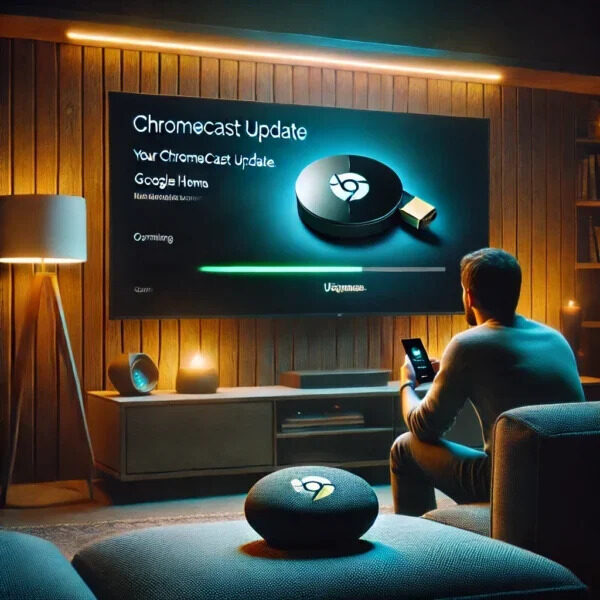
If you’ve made it this far, it’s because your Chromecast has been blinking for a while or has left your TV completely black. And of course, you’re wondering how long it takes for the Chromecast to update. I’ll tell you straight: there’s no fixed time, but under normal conditions we’re talking about 2 to 10 minutes. If it goes beyond that, something’s wrong.
Google releases new firmware every few weeks, and most of the time it installs itself without you even noticing. The problem is when it gets stuck and you don’t know whether to wait or hit the panic button.
How long it takes for the Chromecast to update depending on the model
A first-generation Chromecast is not the same as a Chromecast with Google TV. Older models (the ones that looked like an HDMI dongle with a circle) used to take less time because the firmware was lighter. We’re talking about 3 to 5 minutes.
Chromecast with Google TV, on the other hand, runs a full operating system. There, a major update can easily take 8 or 10 minutes. I’ve seen cases of 15 minutes on slow networks. And if your Wi-Fi is crawling, forget it: it can drag on forever.
A fact many people overlook: the Chromecast Ultra and the Chromecast with Google TV (HD and 4K) download firmware packages of about 100-200 MB. With a 10 Mbps connection, that’s several minutes just for the download, plus the reboot afterward.
Why the Chromecast update sometimes gets stuck
Here’s my unfiltered opinion: 80% of the time a Chromecast doesn’t update, it’s the network’s fault, not the device’s. People blame Google, but then you’ve got the router at the other end of the house and the Chromecast connected to a 2.4 GHz Wi-Fi saturated by your neighbor’s microwave.
Other real causes:
- Google rolls out updates in phases. Not all devices receive the same version on the same day. It can take days or even weeks for you to see it.
- Region. If you’re in a country where Google hasn’t released the firmware, you’ll wait longer.
- Servers down. It happens more than you think. If Google’s servers are struggling, your Chromecast sits there waiting like an idiot.
- Storage full. The Chromecast has limited space. If it’s packed with apps, the update won’t fit and it gets stuck in a loop.
If you find yourself in this scenario, the first thing to do is check the current firmware version from the Google Home app. There you can see the exact number and compare it with the one Google publishes on its support page.
How to force the Chromecast update step by step
There’s no magic «update now» button on all models, but you can nudge the device into looking for the update. Here’s what actually works:
- Open the Google Home app on your phone.
- Tap the icon for your Chromecast.
- Go to Settings (the gear icon in the top right).
- Look for Device information and then Firmware version.
- If there’s a pending update, a notice will appear. If not, you can restart the device from there.
Keep in mind: forcing the Chromecast update doesn’t always give immediate results. Sometimes the device has already downloaded the package and just needs a reboot to apply it. That reboot is the key.
What to do if the Chromecast won’t update and stays frozen
If you’ve been stuck on the update screen for more than 20 minutes and it’s not progressing, it’s clearly hung. Don’t wait for miracles. Unplug it from the power (not from the HDMI, from the power) and wait a full minute. Plug it back in.
In 90% of cases, when it boots up again it resumes the update or has already completed it. If it’s still the same, try switching the Chromecast to another Wi-Fi network. Yes, even though it sounds silly, I’ve seen more than one case resolved that way.
And if none of this works, it’s time to do a factory reset. This erases everything: accounts, apps, settings. You do it from the Google Home app or by holding down the physical button on the device for about 25 seconds until the light blinks amber.
A tip from someone who has dealt with this many times: before resetting, make sure your network is fine. Run a speed test on your phone near the Chromecast. If it doesn’t reach a stable 5 Mbps, don’t waste your time, the problem is the connection.
How long it takes for the Chromecast to update after a reset
After a factory reset, the Chromecast has to download the full firmware, not just a patch. There you can indeed prepare for 15 or 20 minutes if your connection isn’t great. With 300 Mbps fiber, it’s done in 5 or 6 minutes.
During that process, don’t touch the remote or turn off the TV. Patience. It’s the most boring thing in the world, I know, but interrupting a firmware update can leave the device unusable.
Differences between automatic and manual updates on Chromecast
The automatic Chromecast update happens when the device is idle, usually in the early hours of the morning. That’s why many users never see the process. The manual one is when you force it from the settings or by rebooting.
My personal recommendation: if everything works fine, don’t touch anything. Don’t force updates just because. I’ve seen people ruin their user experience by installing a version that still had bugs. Google rolls out in phases precisely to avoid that.
If your Chromecast is slow or has weird glitches, then yes, check the version and update. But don’t obsess over having the latest one before anyone else.
Common mistakes that prolong the Chromecast update
There’s one mistake I see repeated constantly: turning off the TV while the Chromecast is updating. The Chromecast is still powered via USB or the outlet, but when the HDMI signal is cut, some models enter a standby state that slows everything down. Don’t do it.
Another typical mistake is having your phone disconnected from the same Wi-Fi network. The Google Home app needs to be on the same network to communicate with the device. If your phone is on mobile data, you won’t see the real status.
And lastly, don’t ignore updates to the Google Home app itself. Sometimes the problem isn’t the Chromecast, but the app not displaying the information properly.
In the end, the quick answer to how long it takes for the Chromecast to update is: less than 10 minutes under normal conditions. If it takes longer, check your network, reboot, and as a last resort, reset. There’s no more science to it.
