

Post actualizado el día octubre 27, 2026 by DeiviSanzPlay
Forget the myth that optimizing workflows is only for process engineers or corporate giants. In 2026, if your team still relies on endless email threads and manual status updates, you’re bleeding time and money. The real competitive edge is workflow optimization, and it’s more accessible than ever.
What exactly is a workflow (and why you should care)
A workflow is simply the sequence of tasks that gets something done—whether it’s approving a purchase order, onboarding a new hire, or publishing a blog post. It can be manual, automated, or a mix. The problem? Most teams never map their workflows, so bottlenecks stay invisible until everything grinds to a halt.
I’ve seen teams waste hours on redundant approvals. The fix starts with mapping every step, every handoff, and every tool involved. That’s workflow analysis in a nutshell: shine a light on the mess before you try to clean it.
Automation isn’t magic—it’s choreography
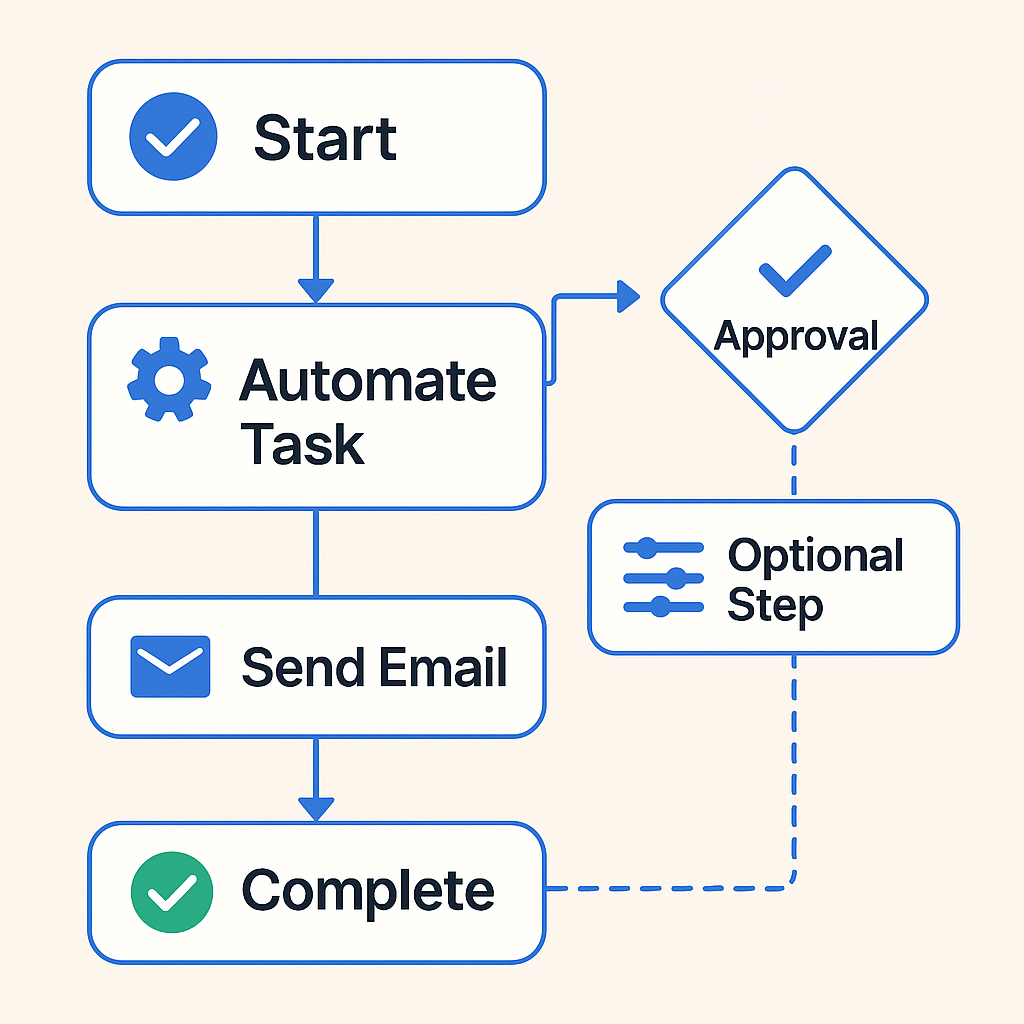
Automation tools like Zapier, Make, or n8n won’t fix a broken process. They’ll just make it fail faster. The key is to automate the right tasks: repetitive, rule-based actions like sending follow-up emails, updating spreadsheets, or assigning tickets. That’s where workflow automation pays off.
But here’s the nuance: not everything should be automated. Tasks that require judgment, relationship-building, or creative problem-solving? Keep those human. The goal is to free your team from the mundane so they can focus on high-impact work.
Choosing the right tools (without the hype)
There’s no shortage of platforms: Asana, Trello, Monday.com, ClickUp, Notion. Each has strengths, but the tool matters less than how you use it. A fancy project management app won’t help if your team doesn’t adopt it. Start small—pick one pain point, automate it, measure the result, then expand.
Integration is critical. Your tools should talk to each other. If your CRM doesn’t connect to your project board, you’re creating data silos. Look for native integrations or use a middleware like Zapier to bridge the gap.
Types of workflows you’ll encounter
- Sequential workflows: Tasks happen in strict order. Example: content creation (draft → edit → publish).
- Parallel workflows: Multiple tasks run simultaneously. Example: running a marketing campaign across social, email, and ads.
- Collaborative workflows: Different people contribute to different parts. Example: product development with design, engineering, and QA.
- Approval workflows: Documents or requests need sign-off before moving forward. Common in HR, finance, and legal.
How to measure workflow efficiency
You can’t improve what you don’t measure. Track cycle time (how long a task takes from start to finish), error rates, and team satisfaction. A simple metric: how many times does a task bounce back for revisions? If it’s more than once, your workflow has a leak.
Use dashboards in your project management tool to visualize bottlenecks. Tools like ClickUp and Monday.com offer built-in analytics. For deeper insights, connect to a BI tool like Looker Studio.
Step-by-step: creating a workflow from scratch
- Map the current process: List every step, who does it, and how long it takes.
- Identify waste: Look for redundant approvals, manual data entry, and waiting time.
- Design the ideal flow: Remove unnecessary steps, combine tasks, and decide what to automate.
- Choose tools: Select software that fits your team’s size and budget. Don’t over-engineer.
- Implement and train: Roll out gradually. Train your team on the new process and tools.
- Monitor and iterate: Review metrics monthly. Adjust as needed.
Common pitfalls (and how to avoid them)
Over-automation: Automating a bad process just makes it worse. Fix the process first.
Tool overload: Using five different apps for one workflow creates chaos. Consolidate.
Ignoring the human side: Change is hard. Communicate the why, involve your team in the design, and celebrate wins.
Real-world example: a small marketing agency
They were drowning in client requests via email. We mapped their intake process, set up a simple form that fed into Trello, and automated task assignment based on request type. Result: response time dropped from 48 hours to 2 hours, and the team stopped missing deadlines.
FAQs about workflow optimization
What is a workflow? A set of tasks or steps followed to complete a process. It can be manual or automated.
How can I optimize a workflow? Identify repetitive tasks, implement automation, improve communication, and review regularly.
What tools automate workflows? Asana, Trello, Zapier, Monday.com, ClickUp, Make, n8n.
What benefits does automation offer? Saves time, reduces errors, improves efficiency, and frees up team focus.
What types of workflows exist? Sequential, parallel, collaborative, and approval workflows.
How do you measure efficiency? Cycle time, error rates, productivity, and satisfaction.
Can I integrate different tools? Yes, most automation platforms connect to Slack, Google Drive, Outlook, Salesforce, etc.
Why is workflow optimization important? It boosts productivity, cuts costs, and lets employees focus on high-value work.
What’s the first step to create a workflow? Map the current process and identify pain points.
What does automating repetitive tasks mean? Using software to execute rule-based actions automatically.
How does a workflow improve communication? Clear task assignment and visibility keep everyone aligned.
What is workflow analysis? Examining workflows to find bottlenecks and automation opportunities.
How are automated workflows implemented? Select software, configure tasks, set rules and conditions.
How long does optimization take? From a few days to several weeks, depending on complexity.
What is project management’s relation to workflows? Workflows are the backbone of project execution.
Can small businesses create workflows? Absolutely—Trello, Asana, and Notion are scalable for small teams.
What is an approval workflow? A process where documents or requests need sign-off before proceeding.
How does a good workflow affect customer experience? Faster response times, fewer errors, and higher quality.
Is technical knowledge necessary? Not strictly, but familiarity with tools helps.
Stop treating workflow optimization as a buzzword. It’s a discipline. Start small, measure everything, and never automate a process you haven’t first simplified. Your team’s efficiency—and your sanity—depends on it.
