Post actualizado el día octubre 17, 2026 by DeiviSanzPlay
So you want to watch TV on your Android phone without paying a dime? TDT Channels is the answer, and it’s not some sketchy pirate app. It’s a free, open-source tool that pulls live DTT (Digital Terrestrial Television) signals and streams them straight to your device. I’ve been using it for months, and it’s legit. No antenna, no cable, no subscription. Just your WiFi or mobile data and you’re in.
What Exactly Is TDT Channels and Why Should You Care?
TDT Channels is an app that lets you watch DTT channels on Android without any extra hardware. It aggregates official, free-to-air streams from Spanish DTT and beyond. You download it, open it, and boom—you’ve got live TV. It’s not a magic trick; it’s just a well-organized directory of public streams.
The app is open source, which means anyone can inspect the code. That’s a big deal for privacy and security. And yes, it’s 100% legal. You’re not stealing anything; you’re accessing streams that broadcasters already offer for free online.
You can grab it from the official TDT Channels website or the Google Play Store. There are also versions for Android TV, Fire TV, and other platforms. If you don’t have Android TV, you can use an IPTV player like VLC or Kodi and load the M3U or JSON lists that TDT Channels provides. That’s the pro move.
How to Set It Up on Your Android Phone (Step by Step)
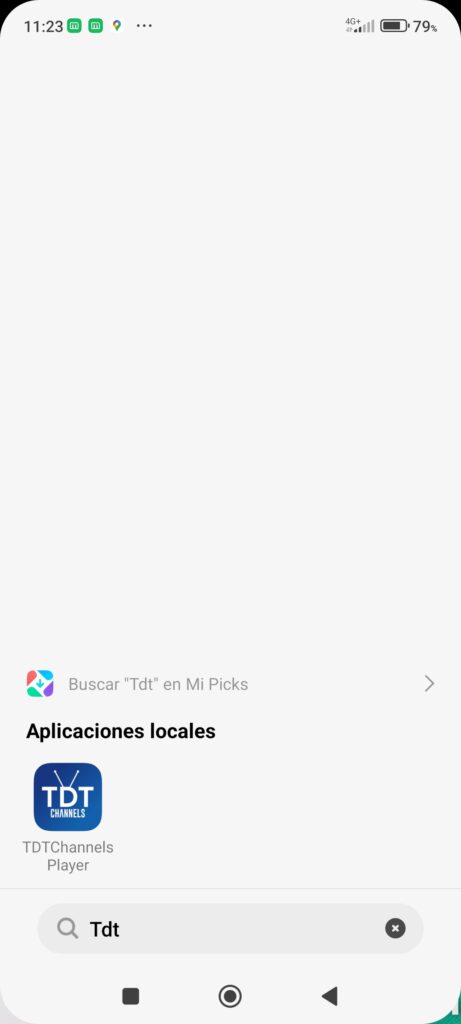
First, download the app. Search for «TDT Channels» on Google Play or go to their official site. Install it like any other app. No root, no weird permissions.
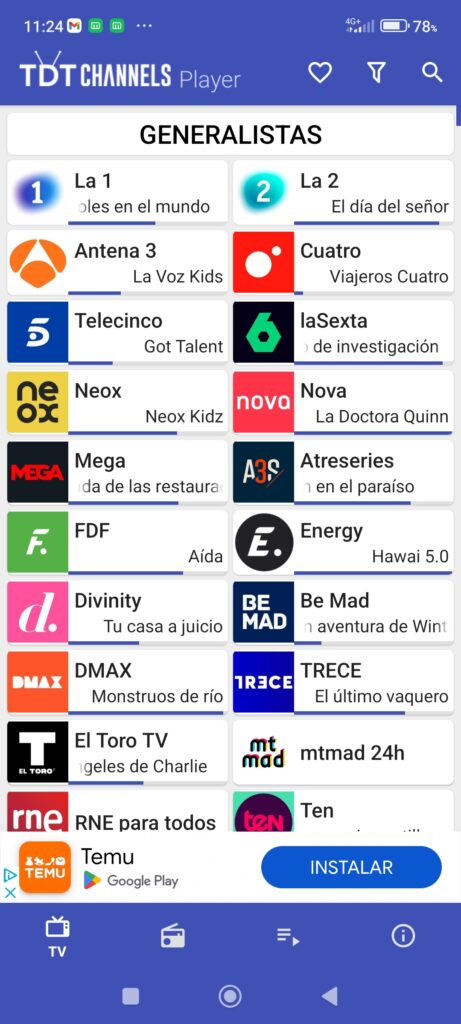
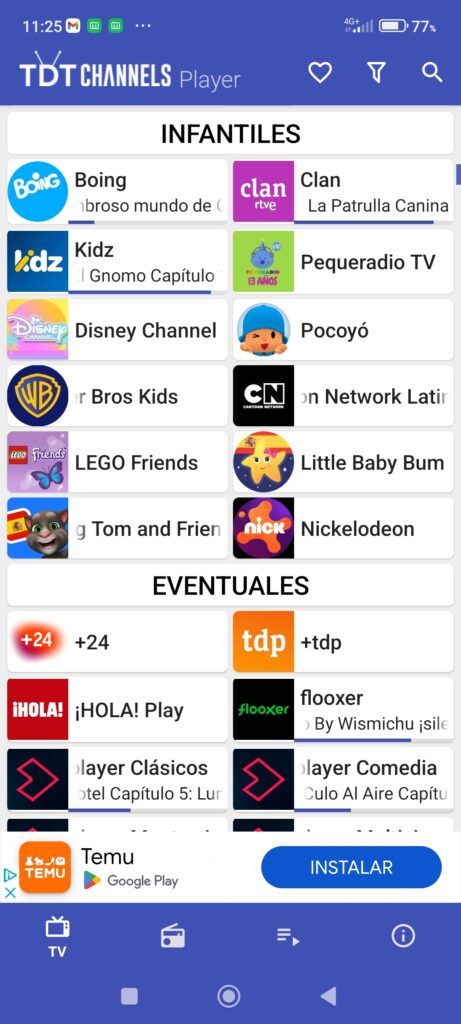
Once installed, open it. You’ll see a list of channel categories: general, news, sports, kids, music, documentaries, and regional channels. Tap any channel and it starts playing. That’s it. No sign-up, no login, no credit card.
If you prefer using VLC or Kodi, head to the TDT Channels website and find the updated M3U or JSON lists. Copy the URL, paste it into your player’s network stream option, and you’ll get the full channel lineup. This method gives you more control and works on almost any device.
The app also lets you filter by autonomous community in Spain—Andalusia, Catalonia, Madrid, the Basque Country, and so on. You can save favorites, so your most-watched channels are always one tap away.
Does It Work Outside Spain? The Honest Answer
Yes and no. TDT Channels is built primarily for Spanish DTT, so the core channel list is Spain-focused. But the app also includes international categories: Europe, America, Asia, Africa, and even specific countries. So if you’re abroad, you can still watch many Spanish channels and a bunch of international ones.
However, some streams are geo-blocked. That means if you’re outside Spain, certain channels won’t load. It’s not the app’s fault; it’s the broadcasters restricting access. You can try a VPN, but that’s a gray area. I won’t tell you to do it, but I won’t tell you not to either. Use your judgment.
For expats and travelers, this app is a lifeline. I’ve used it in Portugal and France, and most channels worked fine. The ones that didn’t were usually sports events with strict licensing.
Why TDT Channels Beats Other Free TV Apps
Most free TV apps are garbage. They’re packed with ads, malware, or they just don’t work. TDT Channels is different. It’s clean, fast, and constantly updated by a community of developers and users.
The app doesn’t host any streams itself. It just points you to official sources. That’s why it’s legal and why it’s still around. If a stream goes down, someone fixes it quickly. The GitHub repository is active, and the community is responsive.
Another big plus: no ads. Zero. You open the app, pick a channel, and watch. No pre-roll, no banners, no pop-ups. That alone makes it worth installing.
And it’s lightweight. It won’t slow down your phone or drain your battery like some bloated streaming apps. I’ve run it on a budget Android phone, and it works smoothly.
What Channels Can You Actually Watch?
Here’s a taste of what’s available. The app organizes channels into categories, so you can find what you want fast.
- General TV: La 1, La 2, Antena 3, Cuatro, Telecinco, and more.
- News: 24h, Teledeporte, and international news channels.
- Sports: Some free sports streams, though premium sports are usually locked.
- Kids: Clan TV and other children’s programming.
- Music: Hit TV, and various music channels.
- Regional: Every autonomous community in Spain, from Andalusia to the Basque Country.
- International: Channels from Europe, America, Asia, and Africa.
You can also find religious channels, documentary channels, and even streaming-only channels. The list is huge and growing.
One thing to note: the channel lineup changes. Some streams come and go. That’s the nature of free, public streams. But the core Spanish DTT channels are almost always stable.
The Legal Question: Is This Really Okay?
Let’s be clear: TDT Channels is legal. It doesn’t host or rebroadcast anything. It simply links to streams that broadcasters themselves make available online. You’re not pirating; you’re using public resources.
That said, always check your local laws. In Spain, watching DTT online for free is perfectly fine. In other countries, the rules might be different. But the app itself is not illegal. It’s just a directory.
The developers are transparent about this. They don’t charge money, they don’t run ads, and they don’t ask for personal data. It’s a community project, and that’s rare these days.
Tips to Get the Best Experience
Use a stable WiFi connection. Mobile data works, but streaming eats data fast. If you’re on a limited plan, stick to WiFi.
Keep the app updated. New streams are added, and broken ones are fixed. The official website has the latest version and the updated M3U lists.
If a channel doesn’t load, try another one. Sometimes a specific stream is down, but others work fine. Don’t give up after one failure.
For Android TV users, the app has a dedicated interface. It’s not just a stretched phone app; it’s designed for the big screen. Navigation is smooth with a remote.
If you’re using VLC or Kodi, make sure you’re using the latest M3U list. The old ones expire. Bookmark the TDT Channels website and check for updates every few weeks.
The Bottom Line: Should You Install It?
If you want to watch TV on your Android phone for free, legally, and without hassle, TDT Channels is the best option out there. It’s not perfect—some streams buffer, some channels are geo-blocked—but it’s free and it works.
I’ve tried other apps. They’re either full of ads, require subscriptions, or just don’t have the channels I want. TDT Channels has everything: Spanish DTT, international channels, and a clean interface.
It’s open source, so you know what you’re getting. It’s updated regularly, so it doesn’t become obsolete. And it’s free, so you’ve got nothing to lose.
Stop paying for cable you don’t use. Stop dealing with sketchy streaming sites. Download TDT Channels, load it up, and watch whatever you want, whenever you want. Your phone is now a TV. Enjoy it.