

Post actualizado el día octubre 26, 2026 by DeiviSanzPlay
Let’s cut the crap: if you’re still waiting for a paper bill from Movistar to land in your mailbox, you’re doing it wrong. Movistar paperless billing isn’t some green marketing gimmick—it’s the default way the company wants you to manage your account, and honestly, it’s better. Faster, cleaner, and you don’t have to worry about a receipt getting lost between junk mail and takeout menus.
I’ve been digging into how Movistar handles billing for mobile, fiber, and TV customers, and the process is dead simple once you know where to click. No more calling customer service just to find out why your bill jumped ten euros this month. Everything is right there in your account, updated in real time.
Mi Movistar: Your One-Stop Shop for Bills
The main hub for everything billing-related is Mi Movistar, accessible from the website or the mobile app. You log in with your username and password—same credentials you use for everything else—and you’re in.
Once inside, you pick the line or service you want to check. Got fiber, two mobile lines, and Movistar+? You can see each one separately. Head to the «Bills» section and you’ll get the full breakdown: usage, charges, taxes, payment due dates. Everything.
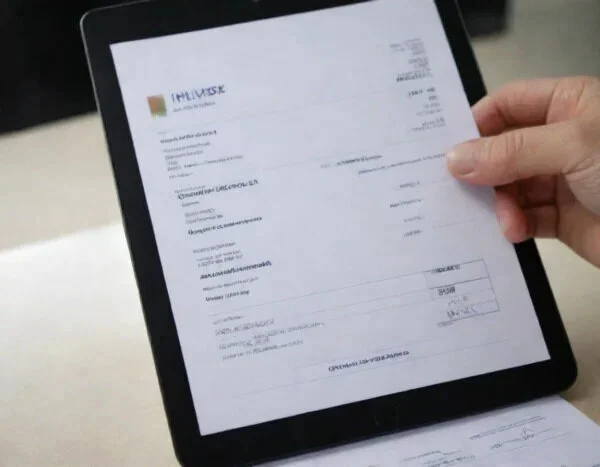
What I like most is the history. You can pull up past bills going back months, which is a lifesaver if you need to prove a charge for a reimbursement or just want to compare what you spent last summer versus this one. And yes, you can download the receipt as a PDF. No printing required unless you’re old-school.
Why Paperless Billing Actually Saves You Money and Headaches
Here’s the thing nobody tells you: paperless billing isn’t just about saving trees. It’s about control. When your bill arrives by email or sits in your Mi Movistar inbox, you can set up alerts. Payment reminders. Notifications when a new bill is generated. That means no more late fees because you forgot to check the mailbox.
Movistar also lets you activate automatic payment, so the amount gets charged to your card or bank account on the due date. Set it and forget it—but only if you’re the kind of person who actually checks their statements. If you’re not, stick to manual payments so you don’t get surprised.
A word of caution: automatic payment doesn’t mean you should ignore your bill. I’ve seen people get charged for services they thought were canceled or for roaming they didn’t know they used. Always review the PDF before the charge hits. It takes two minutes.
How to Switch to Paperless Billing in Movistar
Switching is not complicated, but the option isn’t always in your face. Here’s the real path:
- Log into Mi Movistar (app or web).
- Go to your profile or account settings.
- Look for «Billing» or «Bill delivery method.»
- Select «Email» or «Paperless» and confirm your email address.
- Save changes. You’ll get a confirmation, and your next bill will arrive digitally.
If you can’t find it, search «factura electrónica» in the help section. Movistar’s interface changes every so often, and sometimes the option hides under «Preferences» or «Communication settings.» Annoying, but not a dealbreaker.
What If You Need an Old Bill or Have a Problem?
Let’s say you need a bill from six months ago for a tax deduction or a dispute. You can download it from the Bills section as long as you haven’t deleted it. Movistar keeps a decent archive, but not forever. If it’s older than what’s available online, you’ll have to contact customer service.
Calling Movistar can be a pain—long waits, endless menus—but for billing issues, the phone line is still the most direct route. Have your contract number and ID ready. If you’re lucky, they’ll email you the PDF while you’re on the call.
One more thing: if you’re on a combined bill (fiber + mobile), the breakdown is sometimes confusing. The total is clear, but individual line charges can be buried. Don’t assume the total is wrong until you’ve expanded each section. I’ve made that mistake before, and it was my own math, not Movistar’s.
The Environmental Angle (Yes, It Matters)
Paper bills are a waste. Not just the paper, but the transport, the printing, the ink. Movistar’s paperless billing reduces that footprint, and if you’re a customer, you’re already part of the system. Might as well make it official.
But let’s be honest: the main reason to go paperless isn’t saving the planet. It’s convenience. Having your bill in your inbox or app means you can check it from anywhere, pay in seconds, and never lose a receipt again. The green benefit is a nice side effect.
Common Questions About Movistar Paperless Billing
Can I get my bill sent to multiple emails?
Usually no. Movistar ties billing to one primary email per contract. If you need a second person to receive it, you’d have to share access to Mi Movistar or set up email forwarding. Not ideal, but workable.
Is there a fee for paper bills?
Some telecoms charge for paper statements, but Movistar typically doesn’t. However, they push paperless hard, and some promotions or discounts require you to be enrolled. Check your contract terms if you’re unsure.
What if I don’t have internet access?
Then paperless is a problem. But if you’re reading this, you do. For anyone without reliable internet, Movistar can still send paper bills—just call and ask. They won’t refuse.
Final Take: Stop Waiting for the Mailman
Movistar paperless billing is the way to go in 2026. It’s faster, gives you more control, and eliminates the risk of lost bills. The only downside is you have to remember your password. If that’s the biggest hurdle, you’re winning.
So log in, switch to digital, and set up a payment alert. Your future self—and your mailbox—will thank you.
