

Post actualizado el día octubre 27, 2026 by DeiviSanzPlay
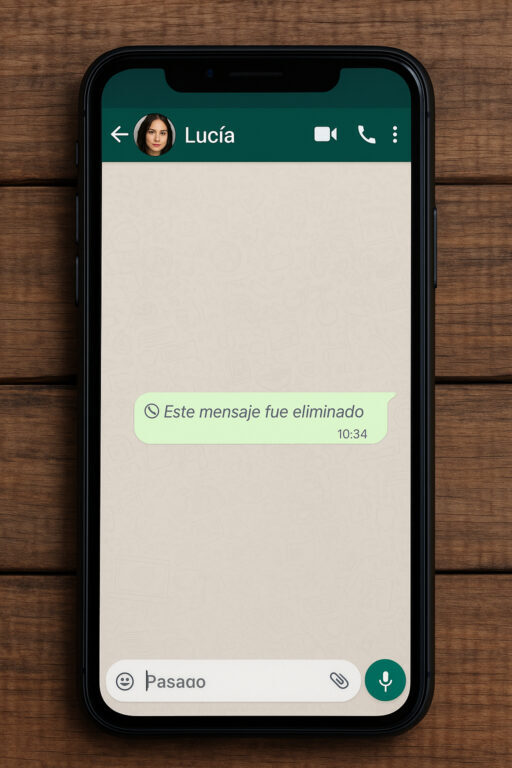
You know the drill: someone drops a message on WhatsApp, you get the notification, and two seconds later it’s gone. «This message was deleted.» And you’re left there, staring at the screen, wondering what the hell they said. Well, I’ve tested a few tricks and some of them actually work. Here’s the real deal on how to see deleted WhatsApp messages in 2026, without installing sketchy spyware or rooting your phone.
Why WhatsApp Deletes Messages and Why You Can Still Catch Them
When someone hits «Delete for everyone,» WhatsApp replaces the original text with a placeholder. On their end, the message is gone. On yours, the notification already traveled through Android’s notification system. That’s the loophole.
Most people don’t realize that the notification is a separate copy. It lives in your phone’s notification history, not in WhatsApp’s database. So if you have the right tool, you can recover the deleted WhatsApp message even after the sender thinks it’s gone forever.
The catch? You need to have received the notification first. If your phone was off, on silent, or you cleared the notification before it saved, there’s no magic. No app can pull a message that never reached your device.
The Best Apps to Read Deleted WhatsApp Messages on Android
On Android, you have several options. I’ve tried these three and they work, though each has quirks.
- Notisave: My go-to. It logs every notification, including WhatsApp messages, and keeps them in a searchable list. Free version has ads, but it does the job. You can filter by app and see the full text.
- WAMR: Specifically built for WhatsApp. It saves deleted messages and even lets you export them. The interface is ugly as hell, but it works. No root required.
- Notification History: A built-in feature on many Android phones (Samsung, Xiaomi, etc.). You can find it in settings under «Notifications» > «Notification history.» It’s not as robust, but it’s free and already there.
The key is to install one of these before the message gets deleted. They need to be running in the background to catch the notification. So if you’re the kind of person who gets FOMO over deleted messages, set it up now.
How to Use Notisave to Recover Deleted WhatsApp Messages (Step by Step)
Here’s the exact process I use. It takes two minutes to set up.
- Download Notisave from the Google Play Store.
- Open it and grant notification access. This is crucial; without it, the app can’t read anything.
- Go to settings inside Notisave and enable «Save notifications» for WhatsApp.
- That’s it. From now on, every WhatsApp message that hits your notification shade gets logged.
When someone deletes a message, open Notisave, tap on WhatsApp, and scroll to the timestamp. The original text will be there, even if WhatsApp shows «This message was deleted» in the chat.
One warning: these apps can’t recover media like photos or videos if they were deleted before you downloaded them. They only capture what’s in the notification, which is usually just text.
What About iPhone? Is There a Way to See Deleted Messages on iOS?
iOS is a walled garden. Apple doesn’t allow apps to read other apps’ notifications, so Notisave and WAMR don’t exist for iPhone. That’s the bad news.
The good news? There are a couple of workarounds, though they’re not as reliable.
1. WhatsApp Web trick: Keep a tab of WhatsApp Web open on your computer. Sometimes, when a message is deleted, the text remains visible in the browser for a few seconds before it syncs. It’s not guaranteed, but I’ve caught a few that way.
2. Notification Center: On iOS, if you haven’t cleared the notification, you can long-press it on the lock screen or in Notification Center. Sometimes the full message is there. Again, it’s hit or miss.
3. iMazing or similar backup tools: If you have a recent backup, you can extract the WhatsApp database and read deleted messages. But this requires a computer, technical know-how, and the message must have been in the backup before deletion. Not practical for everyday use.
So if you’re on iPhone, your best bet is to keep notifications around and hope for the best. Or switch to Android if you’re really paranoid.
Is It Legal to Read Deleted WhatsApp Messages?
Yes, it’s legal in most countries to read notifications on your own device. You’re not hacking into someone’s account; you’re just saving what they sent to you. That’s fair game.
But here’s the line: using these tools to stalk, harass, or control someone is a different story. If you’re monitoring a partner’s messages without their consent, that’s toxic and possibly illegal depending on where you live. The law protects privacy, and snooping can get you in trouble.
Use this knowledge for peace of mind, not for playing detective in someone else’s life.
Other Tricks People Try (And Why They Usually Fail)
You’ll see YouTube videos claiming you can see deleted messages by turning off your internet or using airplane mode. That’s nonsense. WhatsApp doesn’t store the original message on your device after deletion; it only stores the placeholder. The notification is the only place the text survives.
Another one: «restore from backup.» That only works if the backup was made before the message was deleted. And even then, you have to wipe your current WhatsApp and restore, which is a hassle and often loses newer messages.
So stick with notification-saving apps. They’re the only method that consistently works in 2026.
My Honest Take: Should You Bother?
Look, I get the curiosity. Someone sends you a message, deletes it, and your brain goes into overdrive. But most of the time, the deleted message is something dumb: a typo, a drunk text, or a message meant for someone else. Do you really want to know?
That said, if you’re dealing with a situation where someone is gaslighting you or playing games, having the receipts can be useful. Just don’t let it become an obsession.
My advice: install Notisave or WAMR if you’re on Android. It’s free, takes two minutes, and gives you a safety net. On iPhone, accept that you’re mostly out of luck, and maybe don’t stress over deleted messages.
And if you do catch a deleted message, don’t immediately confront the person. Sit on it, think about why they deleted it, and decide if it’s worth the drama. Sometimes ignorance really is bliss.
Now you know how to see deleted WhatsApp messages without any shady software. Go ahead and try it. If it works, you’ll feel like a digital Sherlock. If not, at least you tried.
