Post actualizado el día octubre 17, 2026 by DeiviSanzPlay
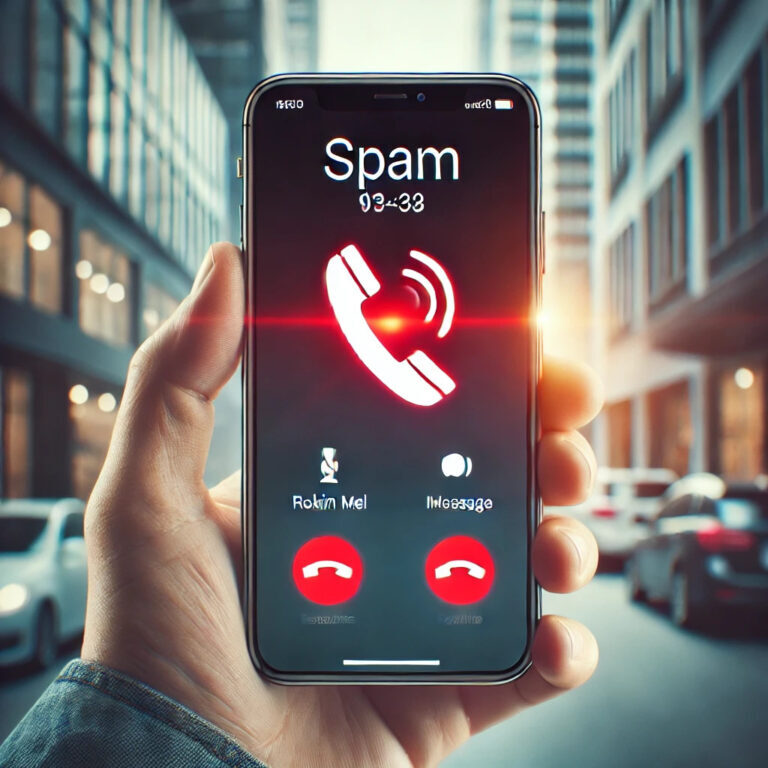
You know the drill: phone rings, you don’t recognize the number, and you get that split-second panic. Could be the doctor, could be a scammer. In 2026, spam calls are more sophisticated than ever, and how to block spam calls on iPhone and Android is still a mess if you rely only on the default settings.
I’ve been digging into this for a while. The reality? Carriers, Apple, and Google have all stepped up their game, but none of them alone will save you. You need a layered approach.
Why Spam Calls Are Still a Problem in 2026
Robocalls dropped slightly after the FCC’s STIR/SHAKEN rules forced carriers to verify caller IDs. That was supposed to be the big fix. But scammers adapted — they now use real-looking local numbers, spoofed area codes, and even AI-generated voices that sound like your bank.
The methods to avoid phone spam on mobiles that worked in 2020 are outdated. If you’re still just hitting «decline» and hoping they stop, you’re playing whack-a-mole. They won’t stop. They’ll just switch numbers.
What does work is a combination of carrier-level filtering, OS features, and a good third-party app. Let’s break it down.
iPhone: What Actually Works to Filter Spam Calls
Apple’s built-in «Silence Unknown Callers» is a solid starting point. It sends any number not in your contacts straight to voicemail. Simple, effective, and free. But it has a downside: legitimate calls from doctors, delivery drivers, or new clients also get silenced.
If you want more control, go to Settings > Phone > Call Blocking & Identification. That’s where you enable third-party apps like Truecaller, RoboKiller, or Hiya. These apps maintain massive databases of reported spam numbers and flag them before your phone even rings.
One trick most people miss: you can set your iPhone to silence junk callers but still allow calls from numbers you’ve recently texted. It’s buried in the Phone settings, and it’s a game-changer for blocking spam calls on iPhone without missing actual humans.
Robocalls on iPhone: The Real Fix
Robocalls are the worst because they don’t care what time it is. Apple’s Live Voicemail feature (iOS 17 and later) transcribes calls in real time, so you can see who’s talking before you pick up. If it’s a robot reading a script about your «expired car warranty,» you just ignore it.
For protecting your iPhone from robocalls, the strongest move is enabling Silence Unknown Callers and installing a call-blocking app. The app catches known spam; Apple’s setting catches the unknown. Together, they cover almost everything.
Android: How to Stop Spam Calls Without Losing Your Mind
Android is a different beast because every manufacturer skins it differently. On a Pixel, you get Google’s built-in Call Screen feature, which is honestly the best native tool out there. It answers the call for you, asks who’s calling, and shows you a live transcript. Spammers usually hang up.
On Samsung or Xiaomi, you’ll find similar features under different names — like «Spam Call Filter» or «Unknown Caller Block.» The solutions to stop phone harassment on Android are there, but they’re scattered.
My advice: use Google Phone app if you can. It’s available on most Android devices now, and its spam detection is top-tier. It pulls from a constantly updated database of reported numbers.
How Do You Know If a Call Is Spam on Android?
Signs: the number starts with an area code you don’t recognize, the call comes in at odd hours, or the caller ID shows a generic name like «Wireless Caller.» If it rings once and stops, that’s a «one-ring scam» designed to make you call back and rack up charges.
Also, if you answer and hear silence for two seconds before a recording starts, that’s a robocall dialer checking if your number is active. Hang up immediately and block it.
Third-Party Apps: Which Ones Are Worth It
Truecaller is the big one — over 300 million users. It identifies unknown numbers and blocks spam automatically. The free version shows ads; the premium version (around $3/month) removes them and adds features like call recording.
RoboKiller is more aggressive. It uses «answer bots» to waste spammers’ time. Fun, but not necessary for everyone. Hiya is another solid option, especially if you want a lightweight app that doesn’t eat your battery.
My take: start with your carrier’s free spam filter (most major carriers in the US and Europe offer one). If that’s not enough, add Truecaller. Don’t install three apps — they’ll conflict and slow your phone down.
Carrier-Level Tools You’re Probably Not Using
Verizon has Call Filter, AT&T has ActiveArmor, T-Mobile has Scam Shield. These are free (or cheap) and work at the network level, meaning spam calls never even reach your phone.
Check your carrier’s app or website. Most people don’t even know these exist. They’re not perfect, but they add a layer that no on-device app can replicate.
What About Fraudulent Calls and Scams?
Fraudulent calls are a different breed. They’re not just annoying — they’re dangerous. Common scams in 2026 include fake IRS calls, fake bank fraud alerts, and «your package is held» texts that lead to phishing sites.
Rule of thumb: never give personal info over the phone unless you initiated the call. If someone claims to be from your bank, hang up and call the number on the back of your card. Avoiding fraudulent calls on iPhone and Android comes down to one thing: trust your gut. If it feels off, it is.
Quick Tips to Reduce Spam Calls Starting Today
- Don’t answer unknown numbers. Let them go to voicemail.
- Never press «1» to be removed from a list — that confirms your number is active.
- Register your number on the National Do Not Call Registry (it helps, a little).
- Update your phone’s OS regularly — spam filters improve with each update.
- Use a Google Voice number for online forms and sign-ups.
These techniques to reduce unwanted calls on your mobile won’t eliminate them completely, but they’ll cut the volume by 80-90%.
The Bottom Line: Take Control
Spam calls aren’t going away. But you don’t have to be a victim. Combine carrier tools, OS features, and one good third-party app. Block, report, and move on.
If you’re tired of your phone being a source of stress, start today. Silence Unknown Callers on iPhone, Google Call Screen on Android, and a spam filter from your carrier. That trio will change your life. Or at least your phone habits.