

Post actualizado el día September 27, 2026 by DeiviSanzPlay
Guys, let me tell you something 😅
I don’t know if it happens to anyone else, but I used to have no clue or idea how to take a screenshot on the computer 😭 I literally used to end up using my phone to take a photo of the monitor hahahaha, yeah, total chaos. But hey, I learned and now I’m here to share the wisdom hehe 😎
I recommend you check out this article, it’s interesting: Decoding AI Jargon: What Does All This Technical Language Mean?.
✨ <a href="https://www.chusmeando.com/informatica-y-tecnologia/como-hacer-captura-de-pantalla-con-el-teclado-de-la-computer/” title=”Cómo hacer captura de pantalla con el teclado de la computadora”>How to take a screenshot on PC (easy, I promise):
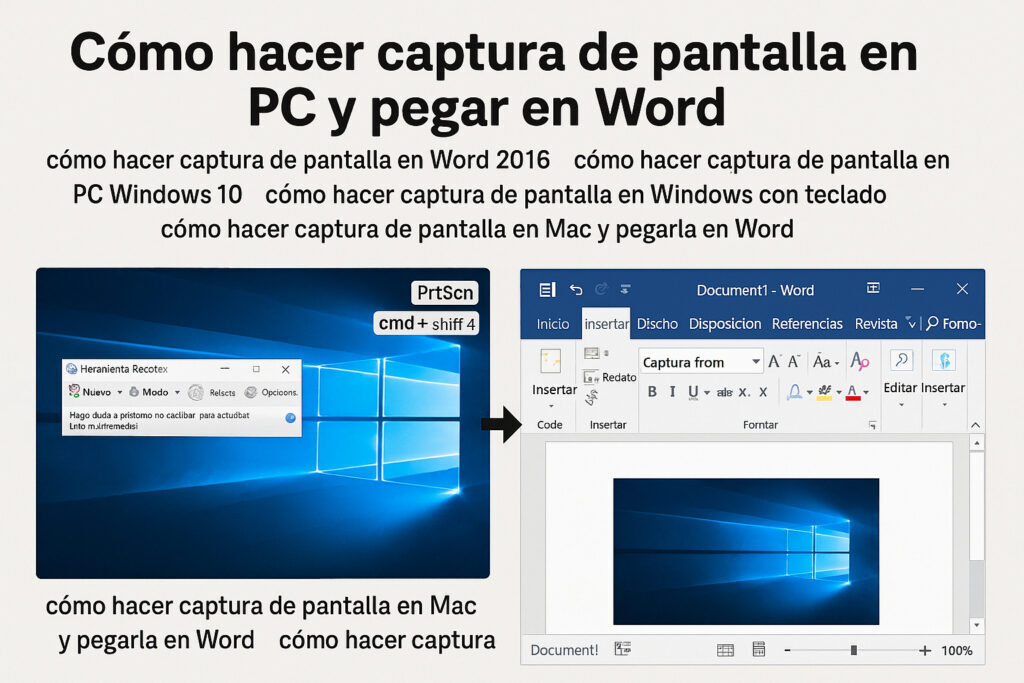
First: if you’re on Windows, you just have to press a key that says “Impr Pant” or “PrtSc” (it depends on the keyboard, some hide it well). That already copies the screen, but you won’t see anything until you paste it somewhere… like in Paint, Word, or even the WhatsApp Web chat itself 👀 yeah, I paste screenshots there when I’m explaining things HAHA.
💡 Pro tip: if you only want to capture the window you have active (and not the WHOLE desktop full of embarrassing icons haha), do <a href="https://www.chusmeando.com/informatica-y-tecnologia/como-reparar-errores-de-inicio-en-windows/” title=”No me arranca Windows 10 y sale pantalla azul ¿Cuál es la solución?”>Alt + Impr Pant. That only saves that one open window. Very useful when you have Spotify in the background or the meme group open and you don’t want it to show 😂.
Then you just have to open Paint (the classic one), press Ctrl + V (or right-click > Paste) and that’s it, there you have it. From there you can save the image or crop it if you don’t want something weird to show 🙈.
There’s also another more modern option: Windows + Shift + S. That opens up like a ninja mode, a kind of screenshot crop where you can choose which part you want. Super top. It lets you select a little piece and that gets saved as if you had copied it. You paste it the same as before.
Oh and obviously, if you use an app like Lightshot or Snipping Tool (which already comes with Windows), it can be done too. But that’s already pro level hahaha.
Anyway, if it helps you, let me know 😄 and if you have another little trick, pass it along because you never stop learning (especially when you have to explain this to your aunt over a WhatsApp call 🤦♀️).



